Workflow PlatformsLive product

Inside AuArgus: the UI tour

Every image below is a real capture from the working platform - the QA-hardened build - freshly reseeded with realistic demo data. No mock-ups, no slideware. The tour walks the practice's whole day, module by module: the partner's cockpit, tax and compliance, books and finance, audit, notices and litigation, clients and growth, the firm's own operations - and what the client sees on their portal.

The partner's cockpit

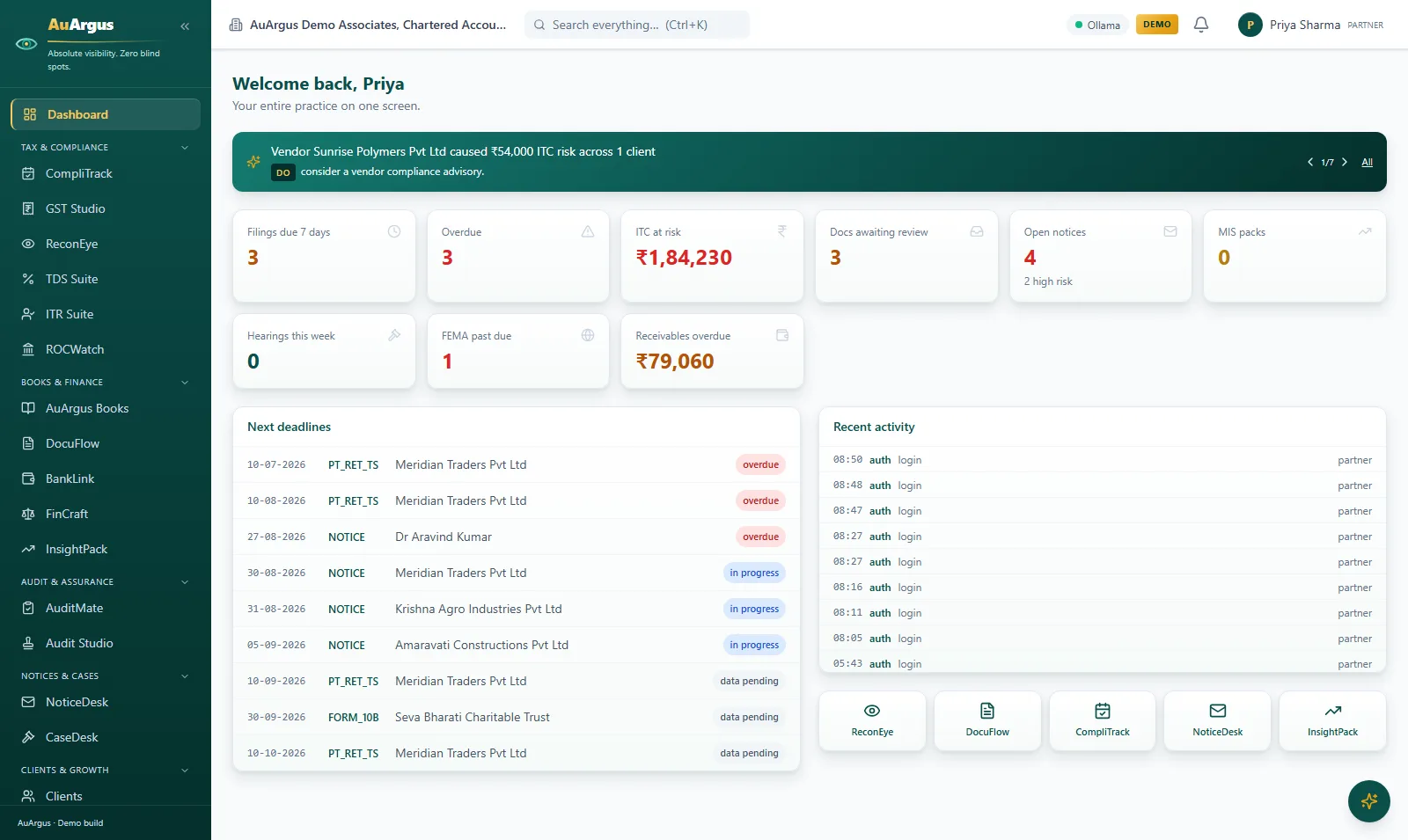
AuArgus partner dashboard with Argus Insights, firm-wide KPI cards and the deadline queue

Partner dashboard

The firm on one screen: Argus Insights with one-click Do actions, the money at risk, filings due, unreviewed work and the week's hearings - every number live from the modules underneath.

  • The honest answer to "where are we?" takes seconds, not a day of assembling spreadsheets
  • Nothing surfaces for the first time at the deadline - risk, due dates and stuck work alarm here first
  • Insights come with a Do action: one click turns a finding into a reviewable draft
Tax & compliance

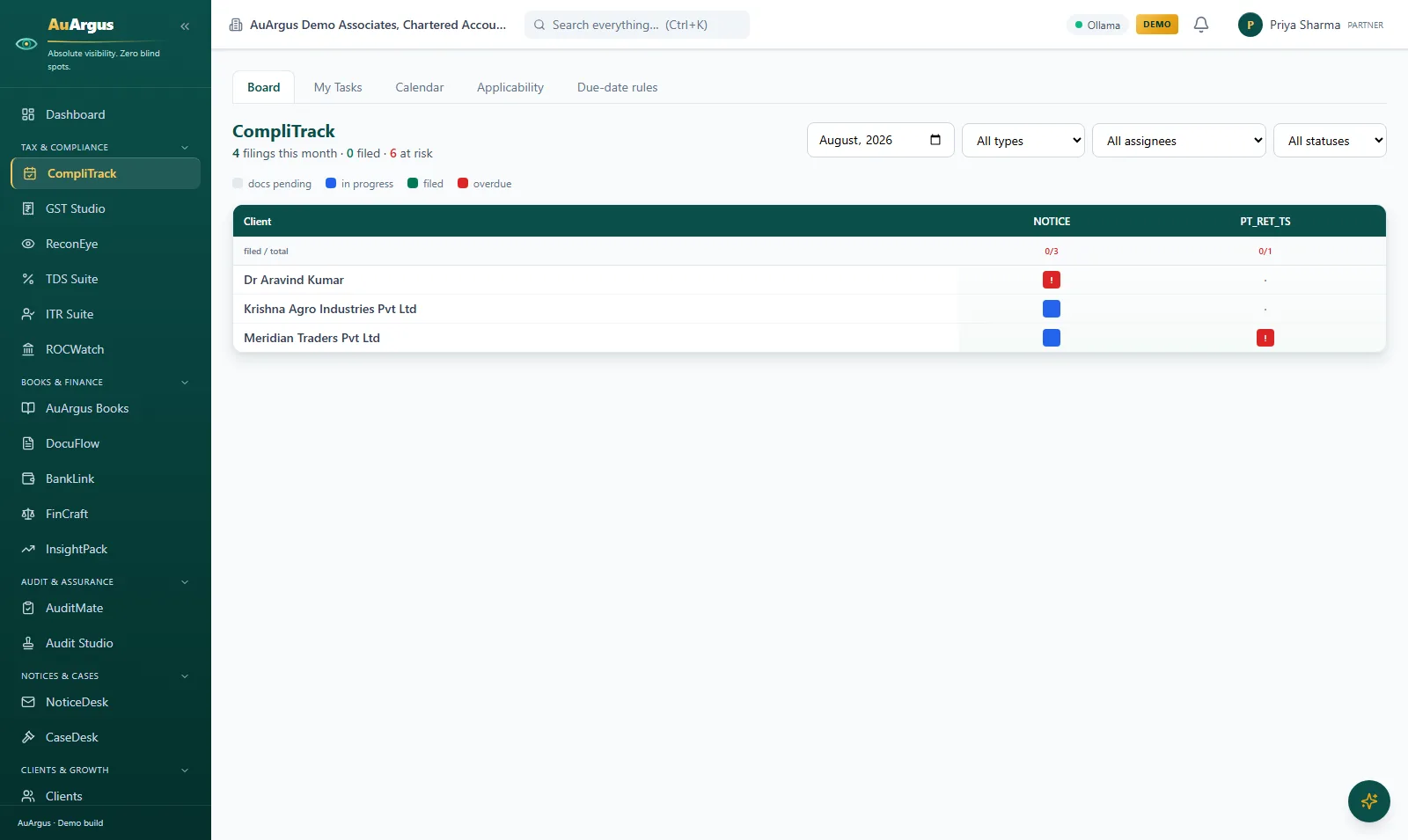
CompliTrack filings board showing every client and filing status for the month

CompliTrack - the filings board

Every client, every filing, every due date on one board - per GSTIN - with task generation per period, email reminders and editable due-date rules.

  • The deadline calendar stops living in someone's head
  • Filed means proven: a task cannot be marked filed without an acknowledgement or filed copy
  • One board answers the month - by client, by filing type, by assignee, by status
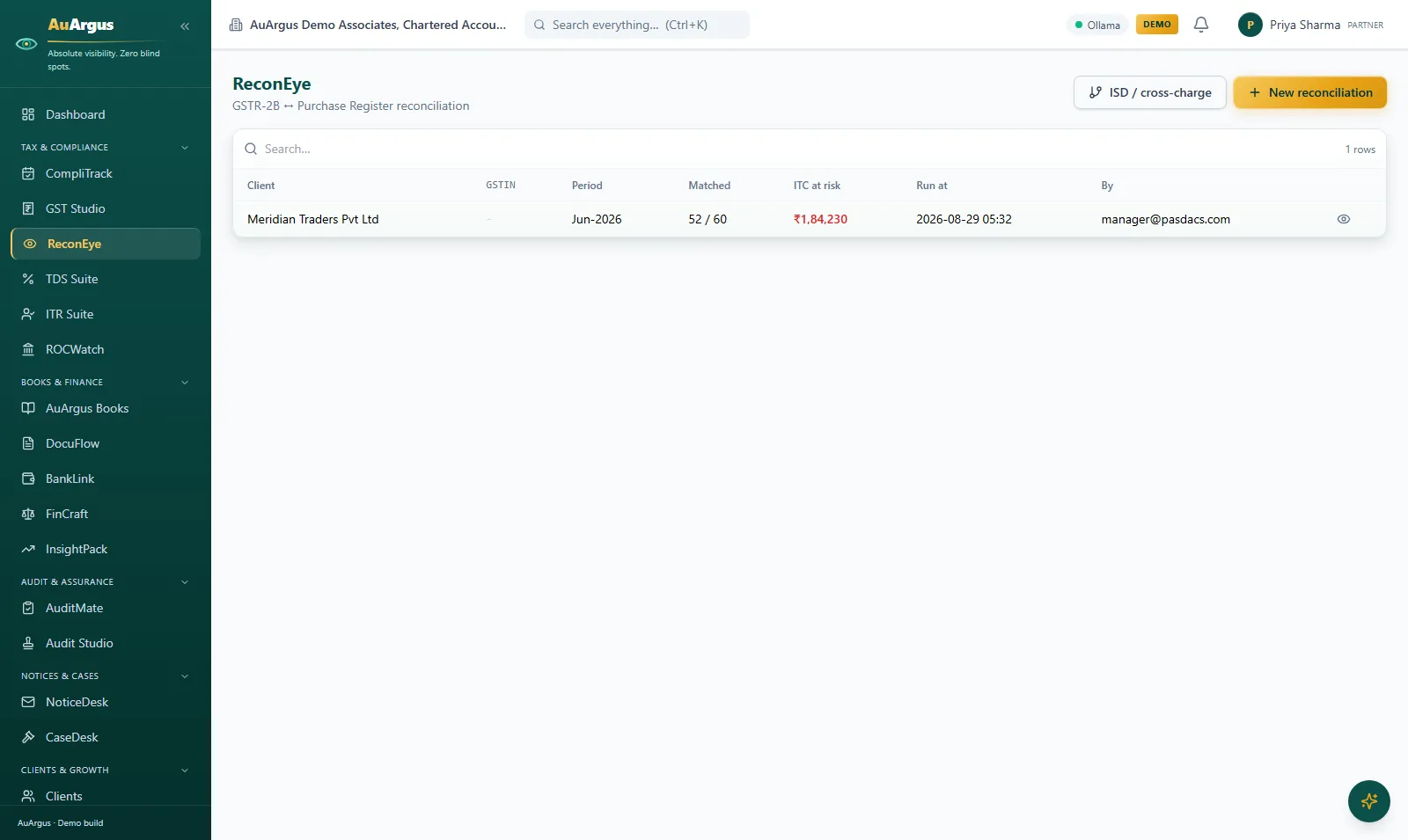
ReconEye job list with reconciliation runs and their match results

ReconEye - reconciliation jobs

GSTR-2B against the purchase register: upload both sides, run the three-pass matching engine, and get a job with matched lines closed and exceptions queued for people.

  • A month's matching runs in a fraction of a second instead of days of line-by-line work
  • People work only the exceptions - the routine closes itself
  • Every run is kept: who ran it, on what data, with what result
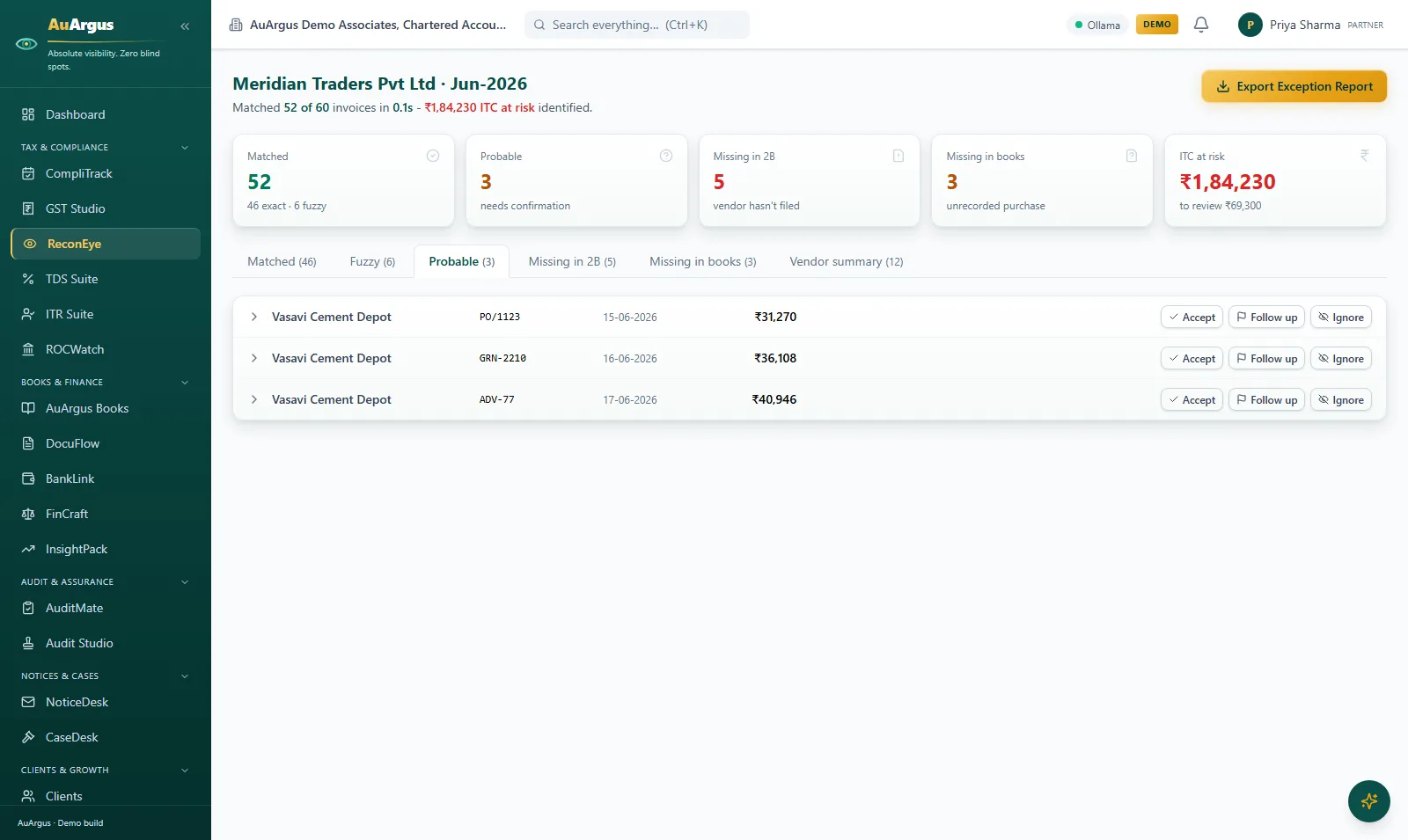
ReconEye workbench: 52 of 60 invoices matched in 0.1 seconds with exception queues and ITC at risk of Rs 1,84,230

ReconEye - the exception workbench

The flagship screen: 52 of 60 invoices matched in a tenth of a second, the exceptions queued by kind - probable matches to confirm, missing in 2B, missing in books - and the ITC actually at risk in rupees, exportable as an Excel report and feeding GSTR-3B automatically.

  • The number that matters - ITC at risk - is on screen, not buried in a VLOOKUP
  • Every exception carries Accept / Follow up / Ignore - juniors resolve them without re-deriving the match
  • The reconciliation result flows straight into the 3B workpaper - no re-keying
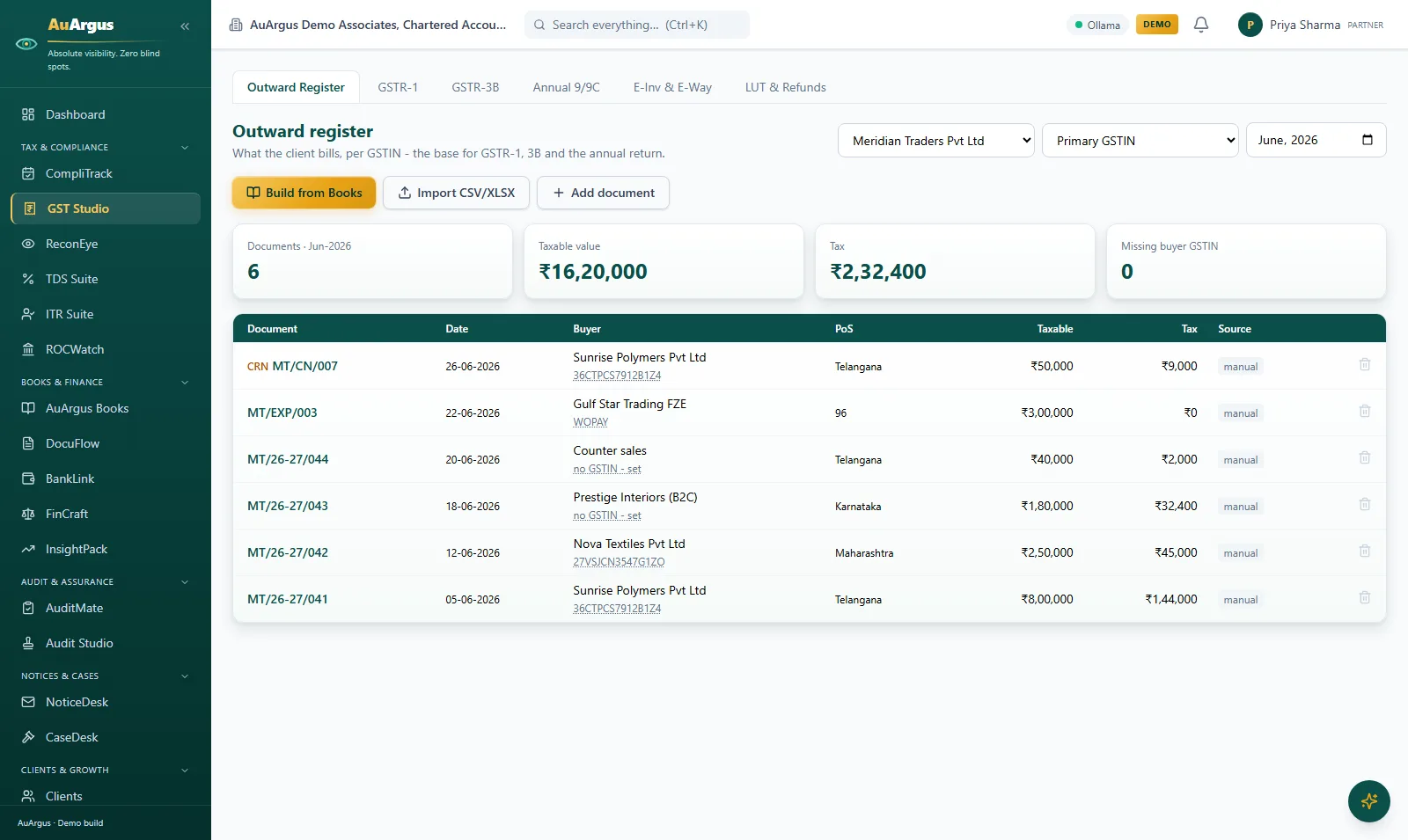
GST Studio outward register for a month: documents, taxable value, tax and missing-GSTIN count over the invoice rows

GST Studio - the outward register

What the client bills, per GSTIN, month by month - invoices, credit notes and exports with taxable value, tax and a missing-buyer-GSTIN counter - the base for GSTR-1, 3B and the annual return, buildable straight from Books.

  • One register feeds GSTR-1 JSON, the 3B workpaper and GSTR-9 - entered once
  • Missing buyer GSTINs are counted at the top, not discovered at filing
  • Build from Books or import CSV - no re-typing what the ledger already knows
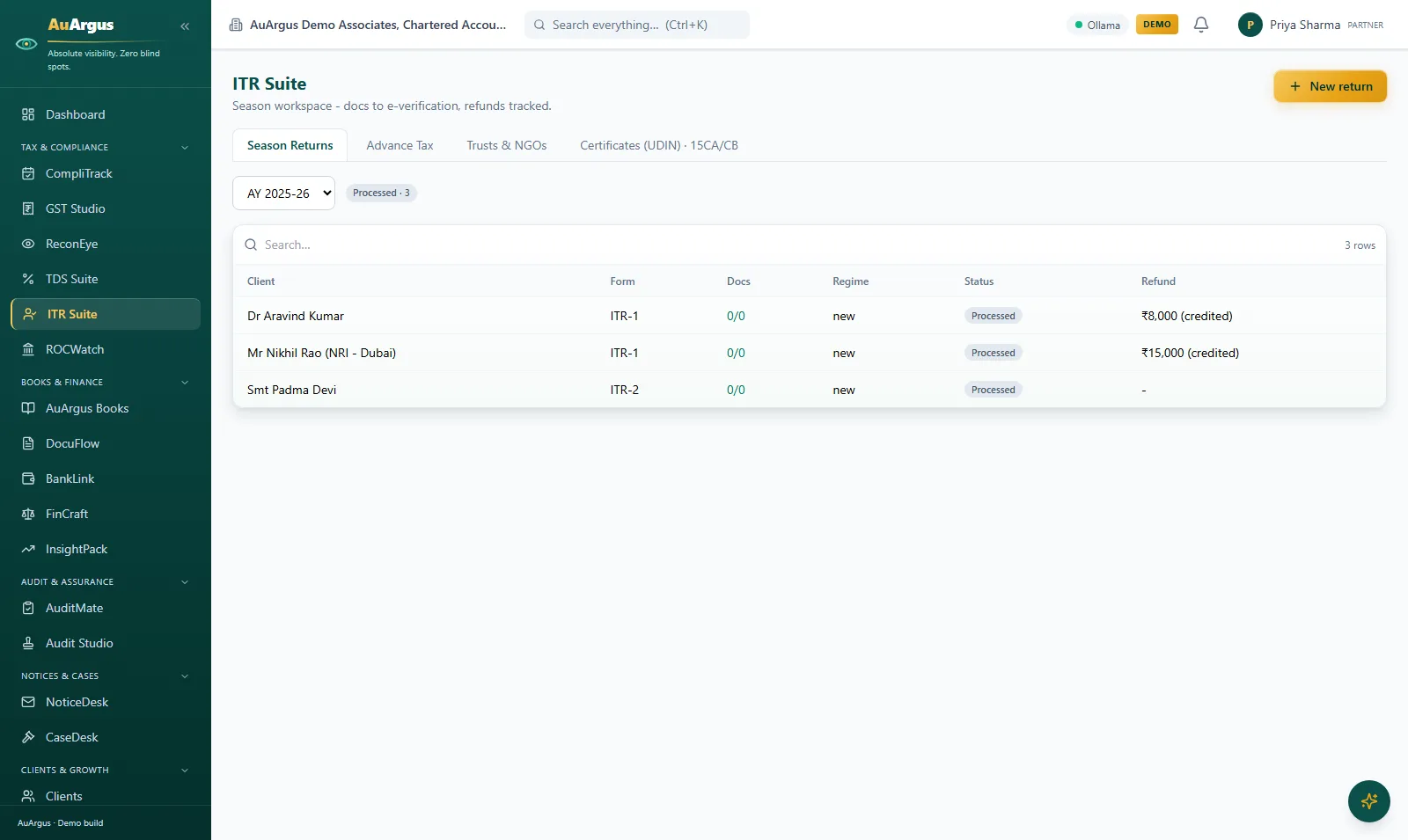
ITR Suite season board with processed returns, regimes, refund status per client

ITR Suite - the season workspace

One board per assessment year: every client's return with its form, document checklist, regime and refund status - backed by the old-vs-new regime optimizer, 26AS and AIS reconciliation and UDIN-gated certificates.

  • Filing season becomes a board you can see, not a pile you fear
  • Refunds are tracked to credited, not to 'filed and forgotten'
  • Certificates are UDIN-gated: no certificate without a registered, single-use UDIN
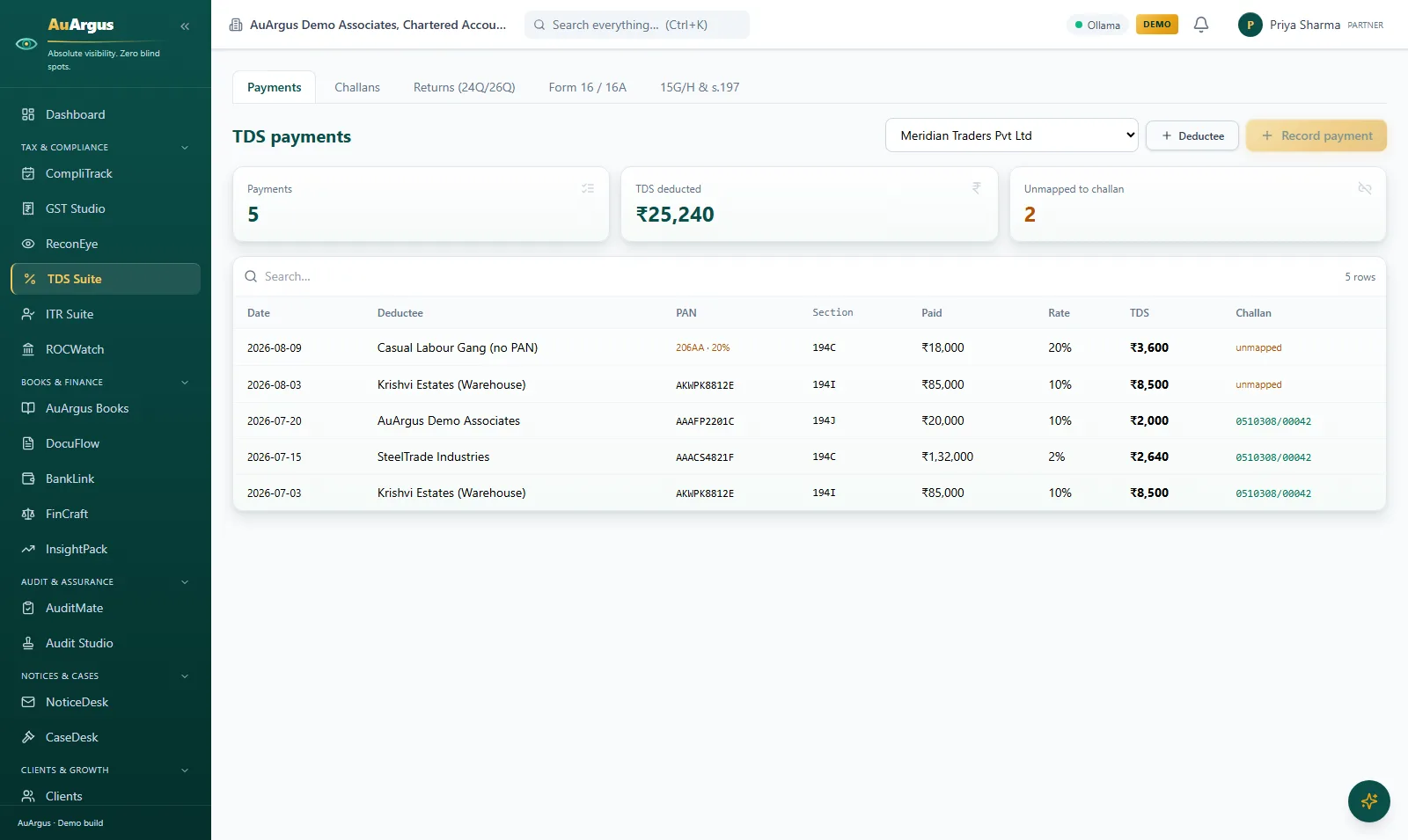
TDS Suite payments for a client with auto-applied rates, deducted totals and unmapped-to-challan flags

TDS Suite

Deductees and payments with auto-applied rates and sections, the deducted total live, challan mapping tracked per payment - plus challan register, 26Q/24Q return builders and Form 16/16A on letterhead.

  • Rates and sections apply themselves - a no-PAN payment picks up 20% automatically
  • Payments not yet mapped to a challan are flagged before the return is built, not after the notice
  • Certificates come out on letterhead, ready to send
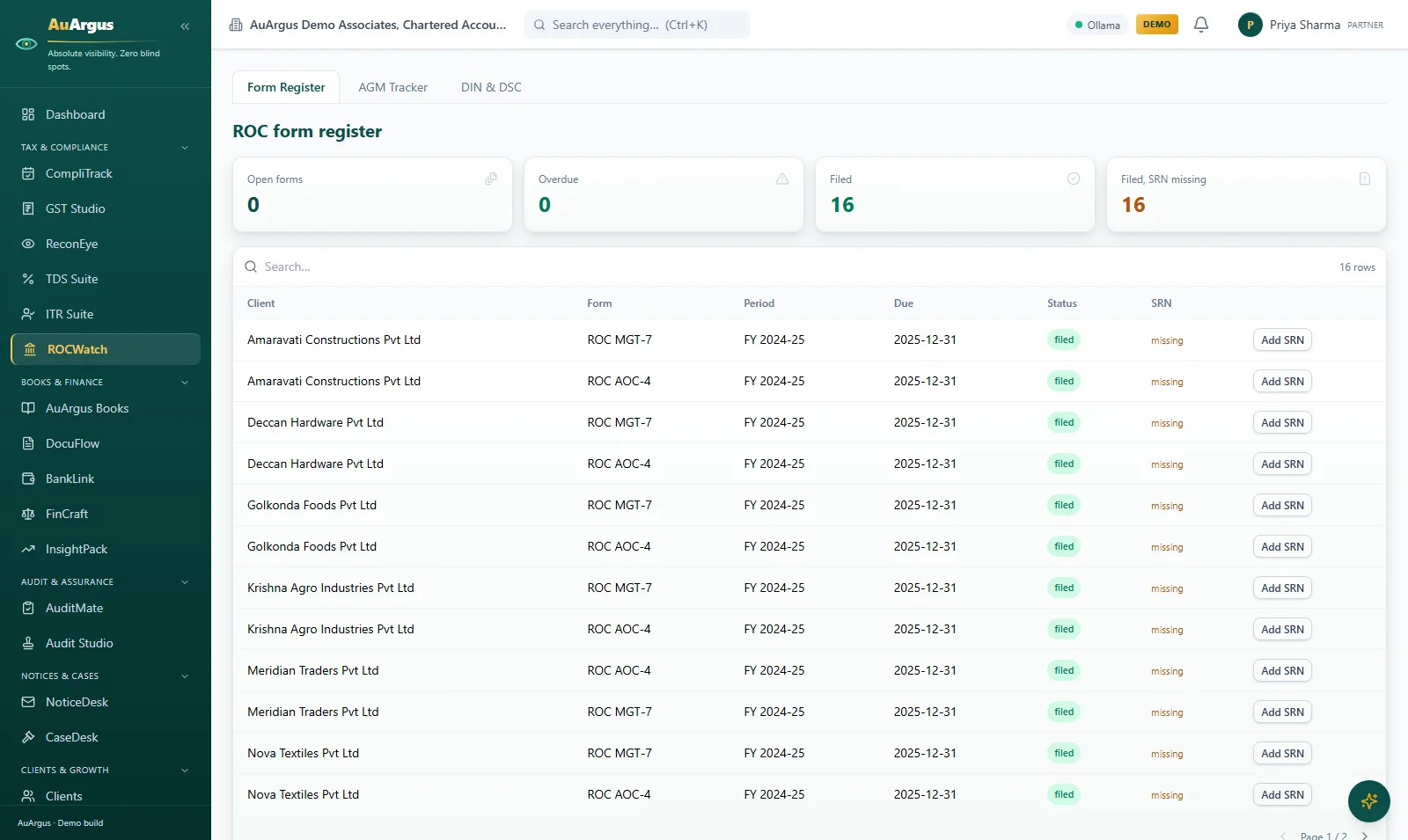
ROCWatch form register with filed AOC-4 and MGT-7 forms per company and SRN-missing flags

ROCWatch - the form register

The company-law register: every ROC form per client with its period, due date and filed status - and an SRN column that flags every filed form still missing its acknowledgement number, with the AGM tracker and DIN/DSC panel alongside.

  • Company-law deadlines live on the same spine as tax deadlines
  • 'Filed, SRN missing' is a counted, worked queue - evidence discipline for ROC too
  • DSC expiries alarm before they block a filing

Books & finance

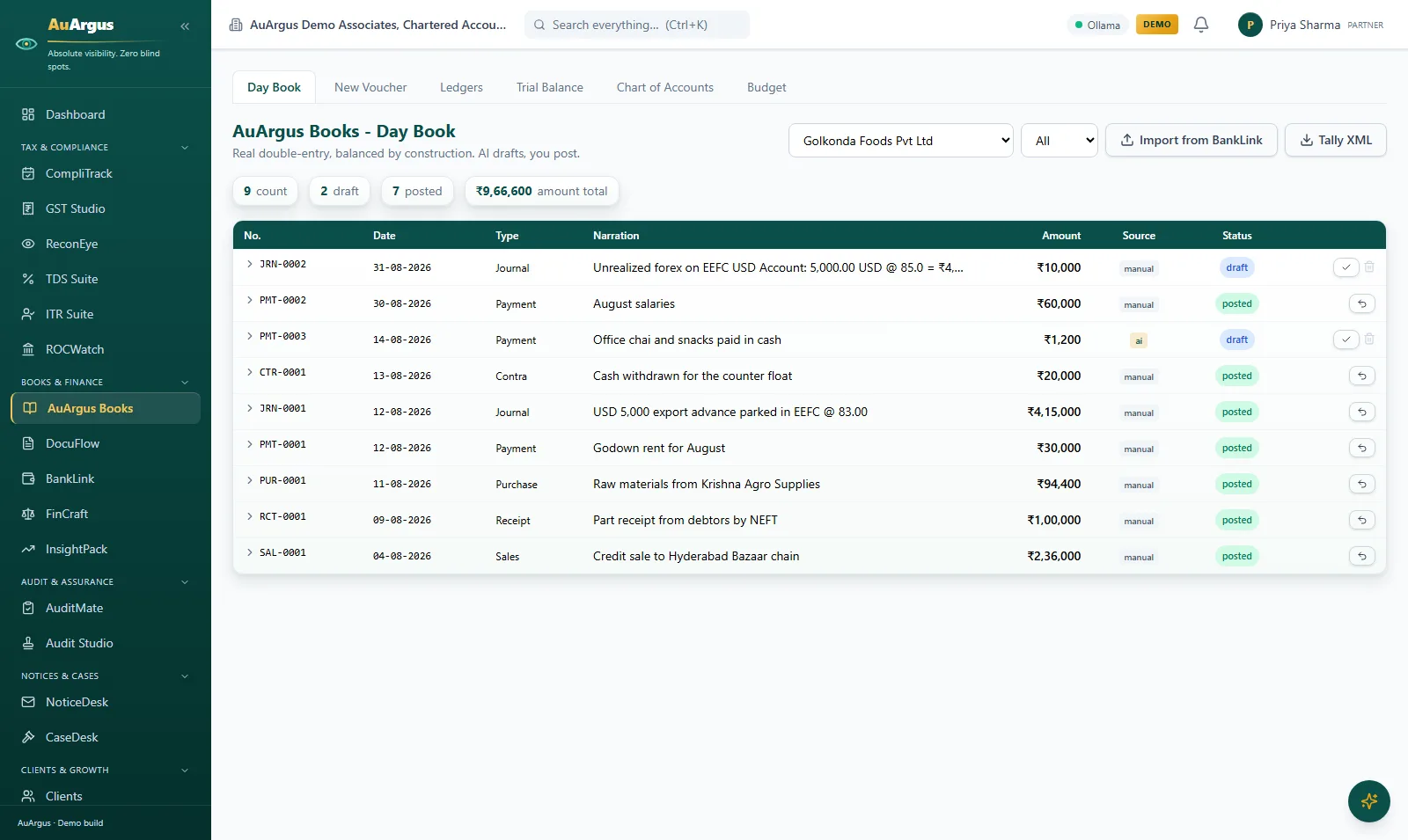
AuArgus Books day book: posted vouchers and an AI-drafted entry held at draft behind the review gate

AuArgus Books - the day book

Real double-entry bookkeeping on the Tally taxonomy: one balanced write path, day book, ledgers and trial balance - and on screen, an AI-drafted voucher sitting at draft until a person posts it, beside the posted entries.

  • Balanced to the paisa by construction - no route can post an unbalanced voucher
  • AI drafts the voucher; a person posts it. The gate has caught a real model error
  • The trial balance flows straight into MIS and Schedule III financials
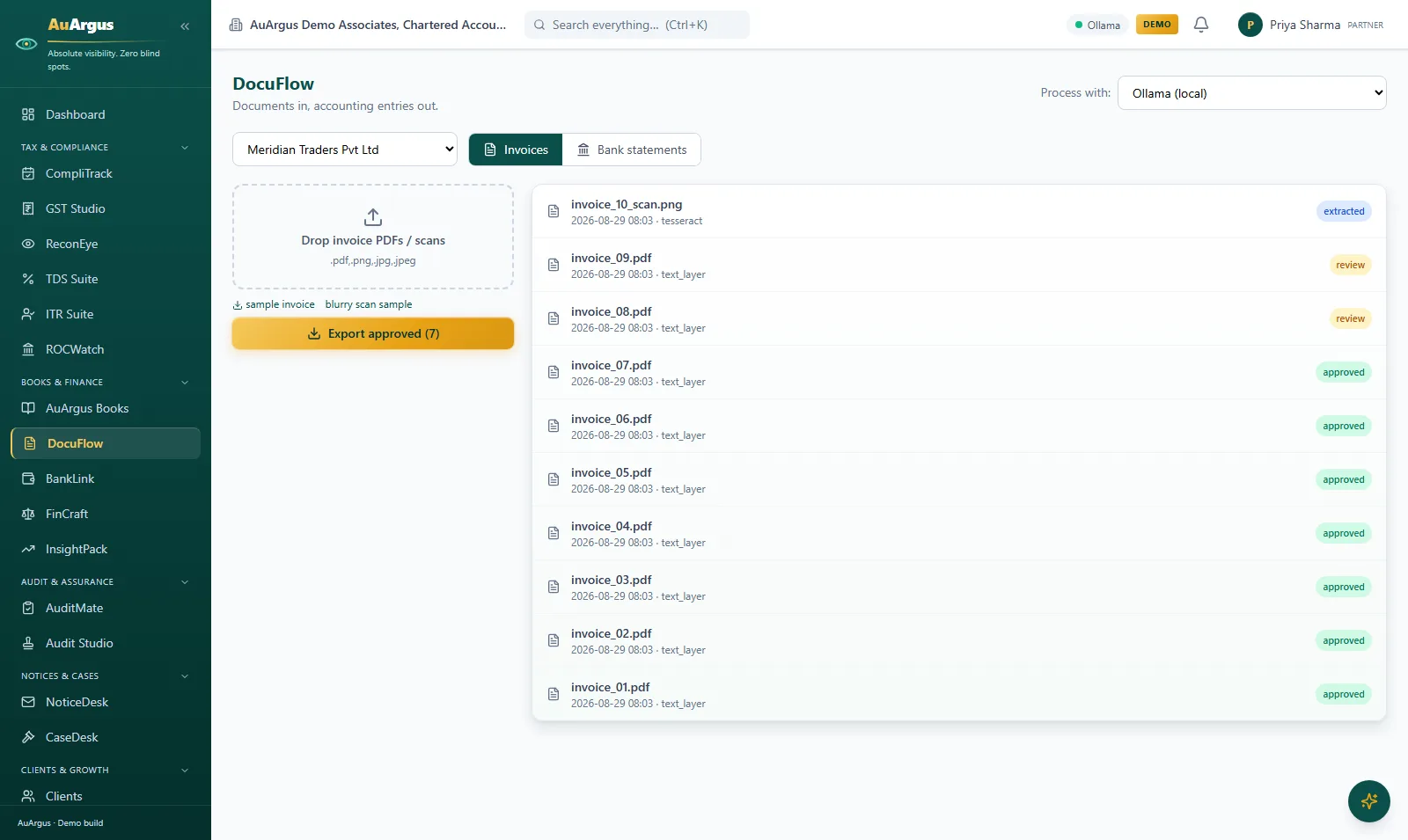
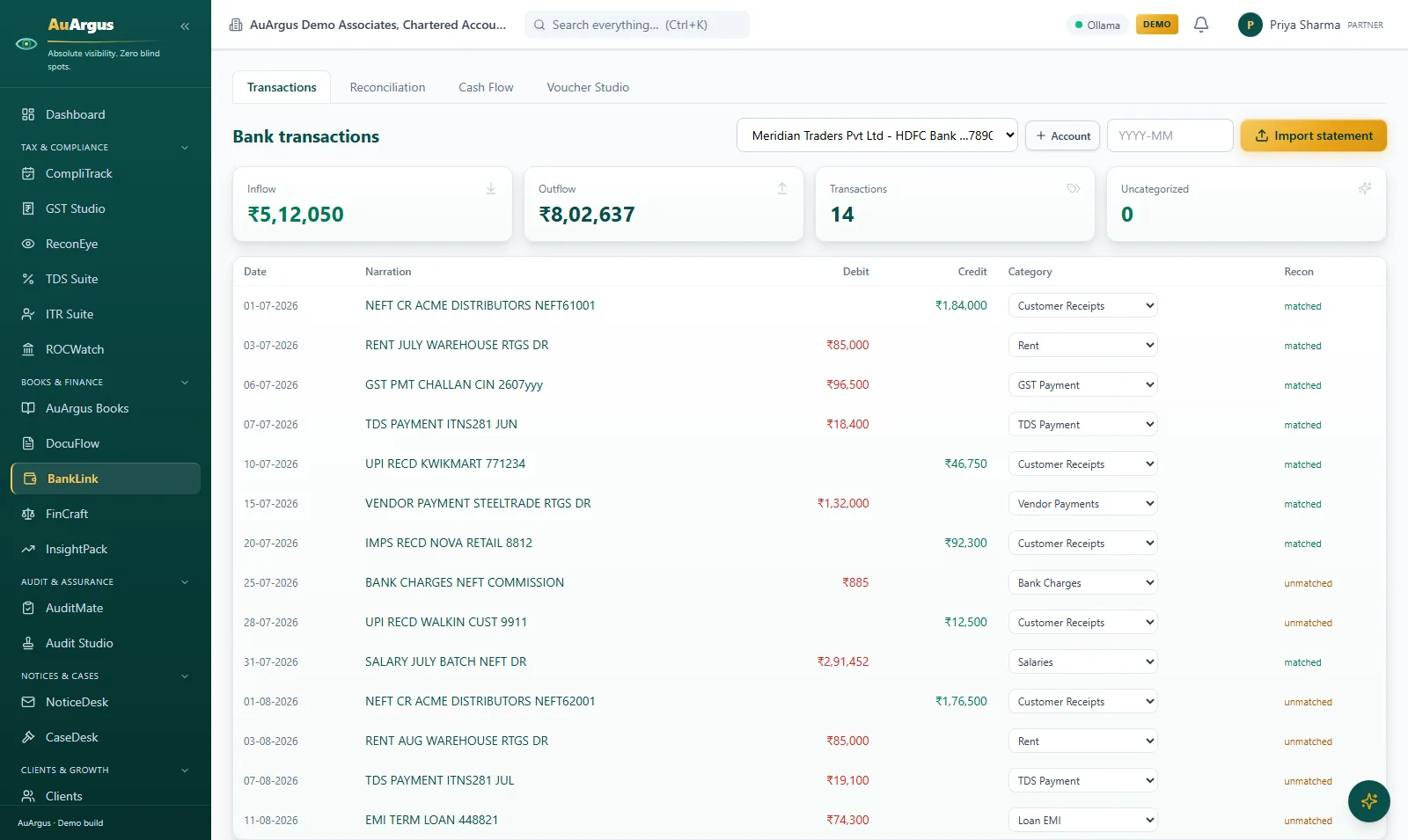
DocuFlow inbox with ten invoices in extracted, review and approved states, ready to export

DocuFlow - document intake

Drop invoice PDFs and scans: OCR and AI extraction produce structured entries, each carrying its state - extracted, in review, approved - until a person clears it for export to Tally XML or Excel.

  • Data entry becomes review - faster and safer than typing
  • Every document's state is visible: nothing is booked until a person approves it
  • Tally XML out means the client's books get the result without re-keying
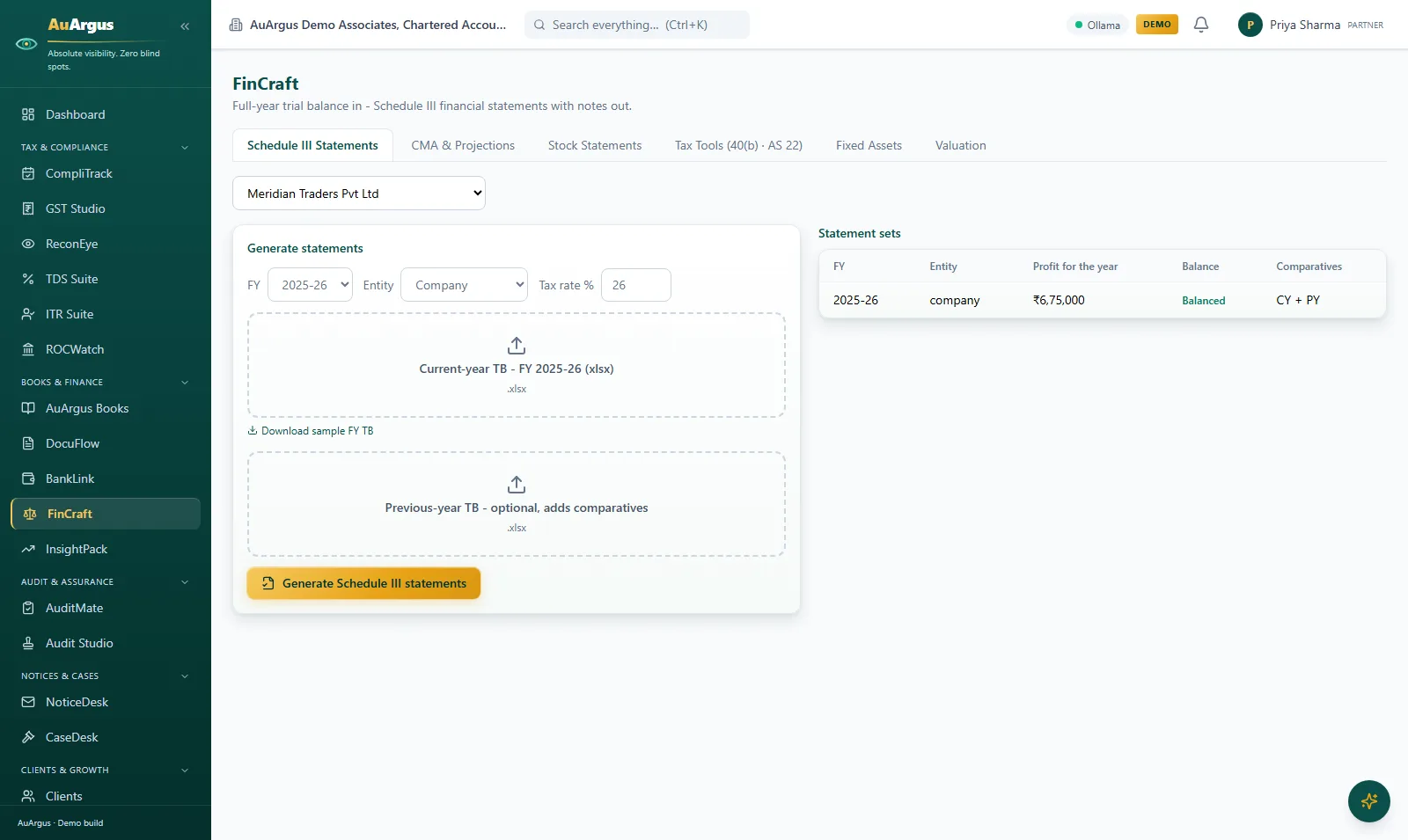
FinCraft Schedule III workspace with a balanced statement set showing profit for the year and comparatives

FinCraft - financial statements

Full-year trial balance in, Schedule III financial statements with notes out: each statement set carries its profit for the year, a Balanced check and current-plus-previous-year comparatives - with CMA projections, stock statements, tax tools and the fixed-asset register on the neighbouring tabs.

  • Financials are generated from the trial balance - Balanced is a verified state, not an assumption
  • Comparatives come from last year's TB, not from re-typing
  • CMA, stock statements and the 40(b) optimizer work from the same numbers
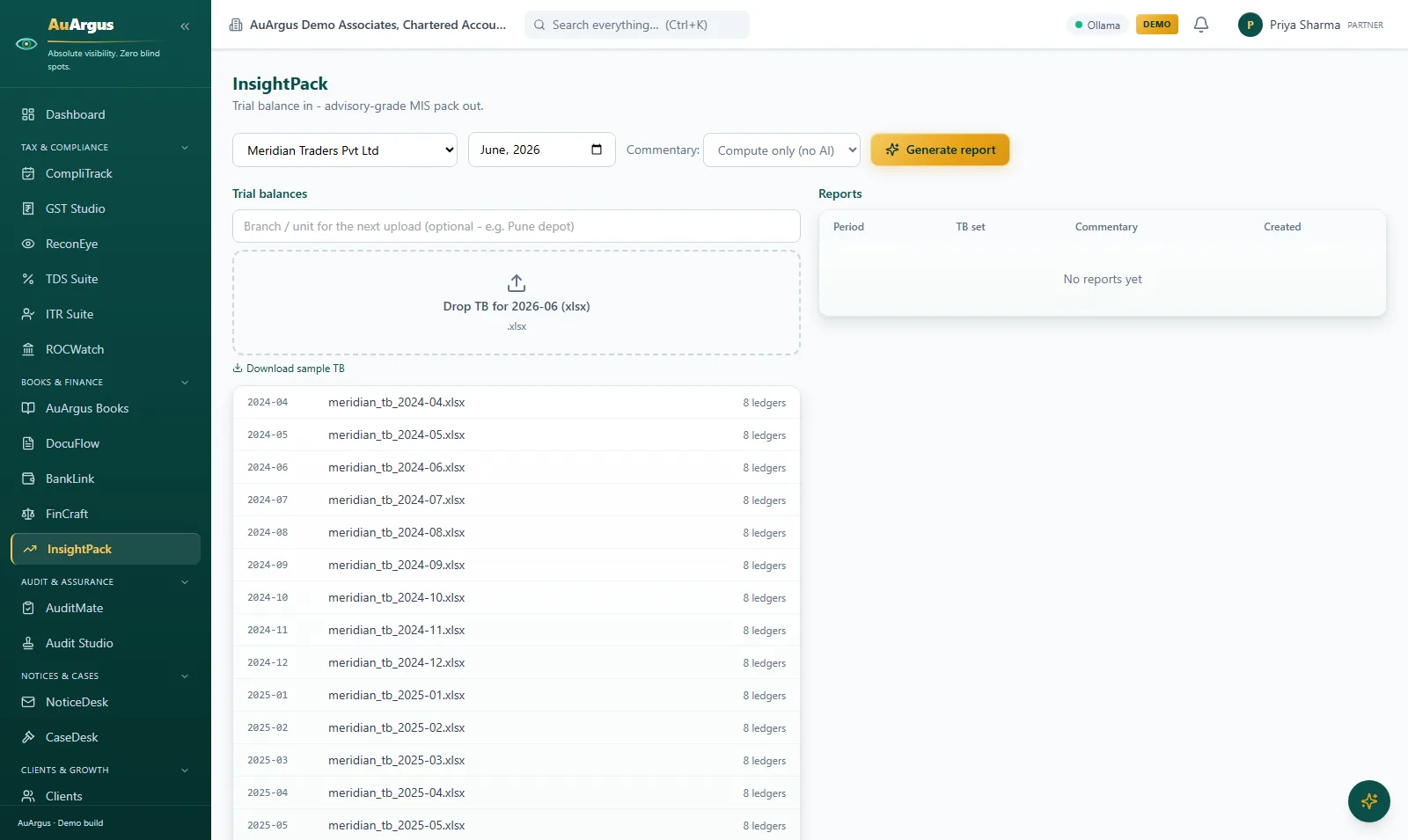
InsightPack workspace with a client's monthly trial-balance library ready to generate MIS reports

InsightPack - MIS reports

Trial balance in, advisory-grade MIS out: the client's monthly TB library builds up period by period, and each report computes ratios, trends and red flags - with optional AI CFO commentary - into a branded PDF.

  • Clients get a monthly MIS the firm can produce in minutes
  • Red flags are computed, then explained - the commentary cites the numbers
  • Works compute-only with no AI configured - the analysis never blocks on a model

Audit & assurance

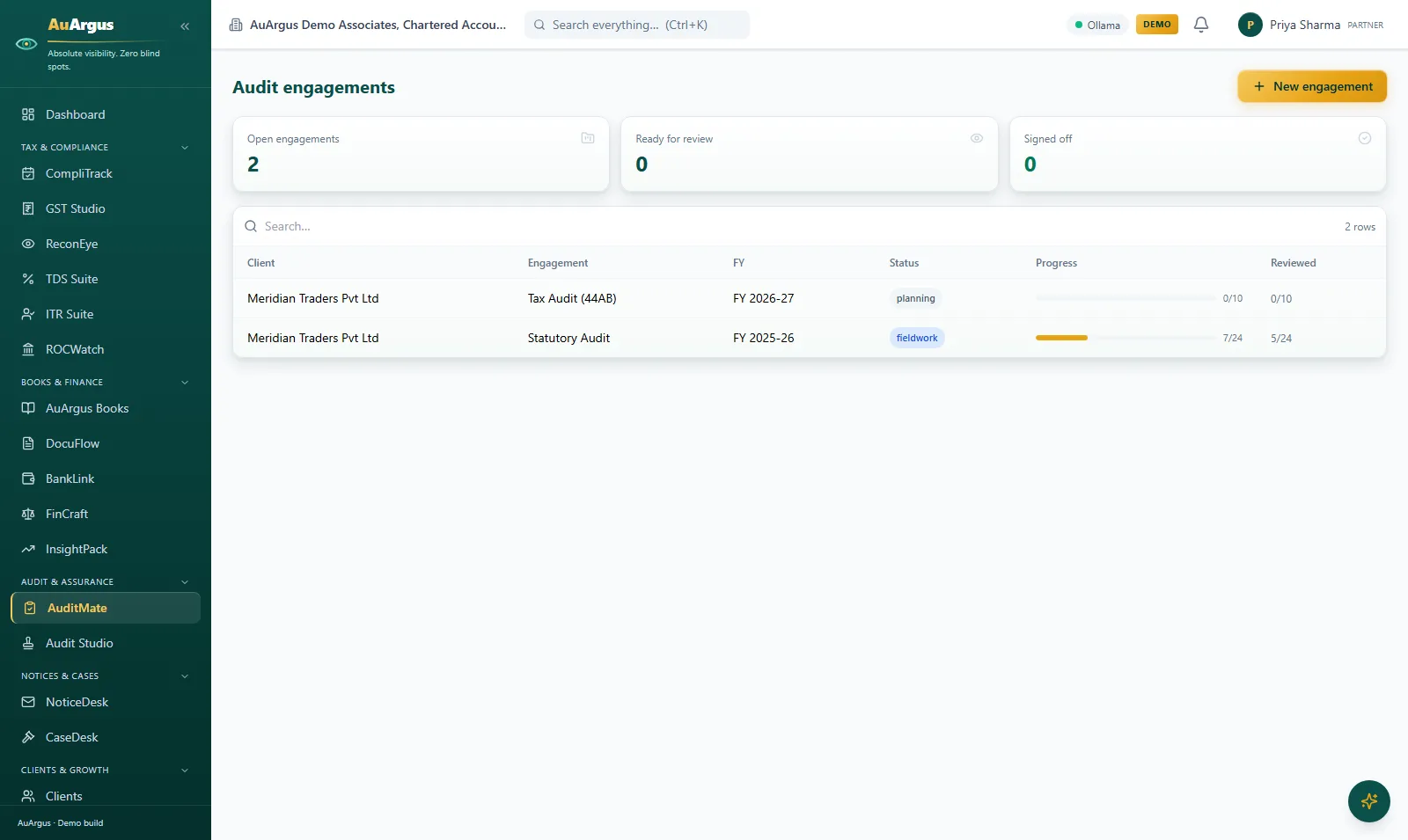
AuditMate engagements with fieldwork progress and reviewed counts per engagement

AuditMate - engagements & workpapers

Audit engagements from checklist templates with a prepare-review-partner-sign-off state machine - progress and reviewed counts visible per engagement, evidence uploads and an append-only trail behind them.

  • Segregation of duties is enforced in code: a preparer cannot review their own workpaper
  • Editing a reviewed paper clears the review - stale sign-offs cannot exist
  • Fieldwork progress is a number on a screen, not a status meeting
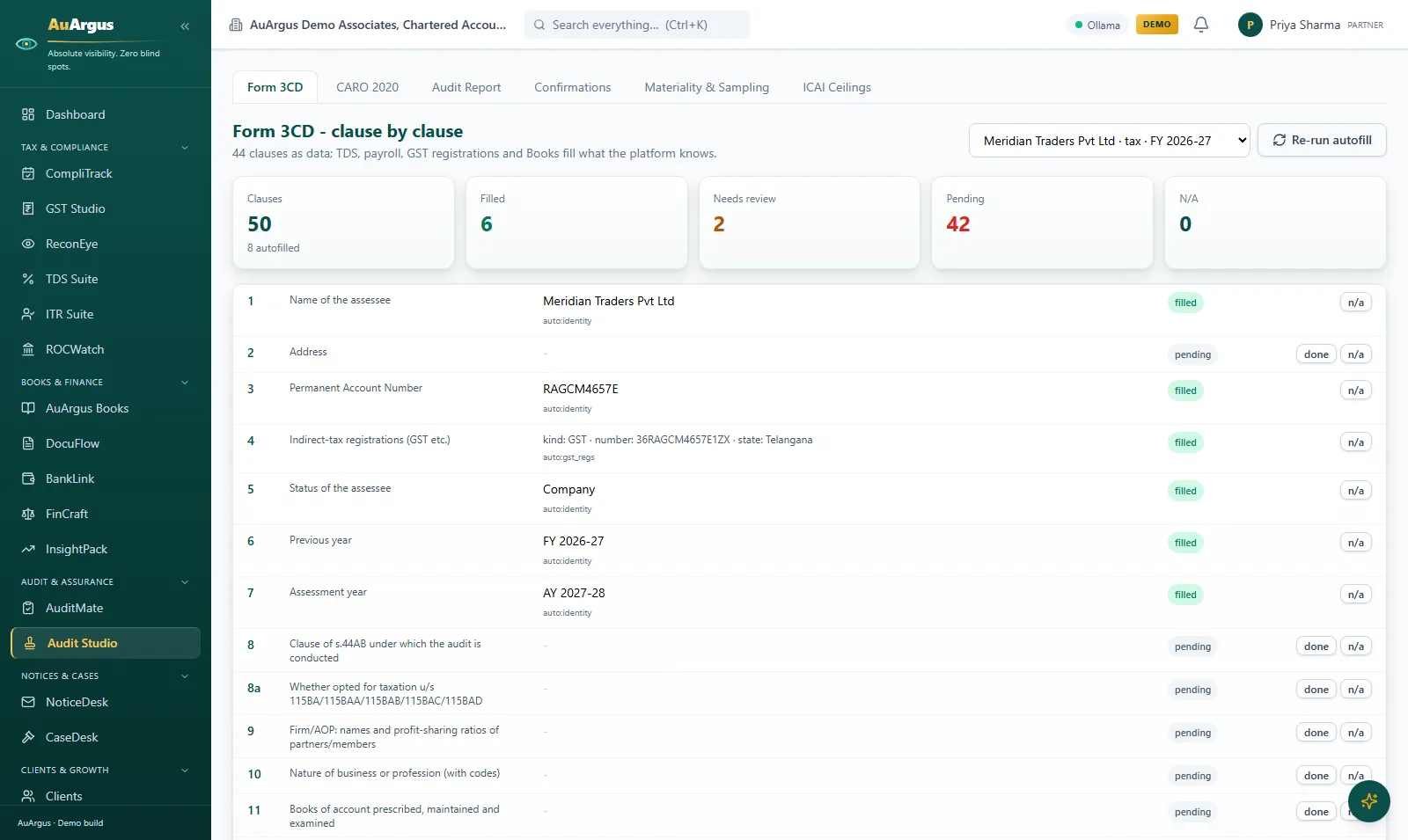
Audit Studio Form 3CD clause by clause with autofilled clauses from platform data

Audit Studio - Form 3CD & deliverables

Form 3CD as data, clause by clause: identity, GST registrations, TDS, payroll and Books autofill what the platform already knows - with CARO 2020, the SA-700 report generator, SA-505 confirmations, materiality tools and the ICAI ceilings monitor on the neighbouring tabs.

  • Clauses fill from data the platform holds - checked, not re-typed
  • Filled, needs-review and pending counts keep the 3CD's state honest
  • Reports issue only with a UDIN, and a UDIN can never be used twice

Notices & cases

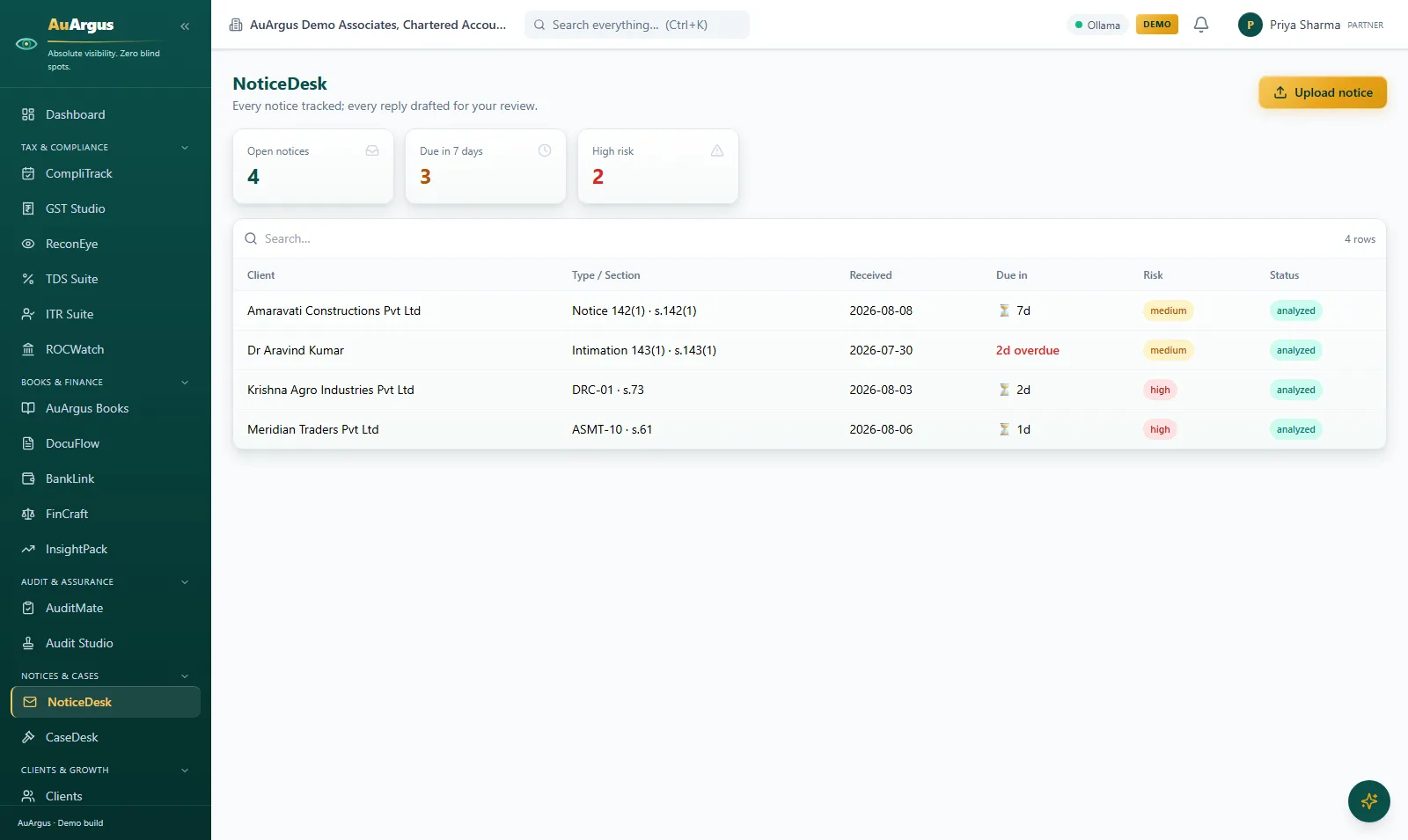
NoticeDesk register with analyzed notices, due-in countdowns and risk badges

NoticeDesk

A notice PDF goes in; AI analysis extracts type, section and due date and drafts a reply on letterhead - while the open count, due-in-7-days and high-risk tiles keep the queue honest and a CompliTrack task is created automatically.

  • Notices stop sitting in drawers - the reply clock starts the day they arrive
  • The draft reply is a starting point a professional edits, never an auto-send
  • Every notice carries its deadline, risk badge and status
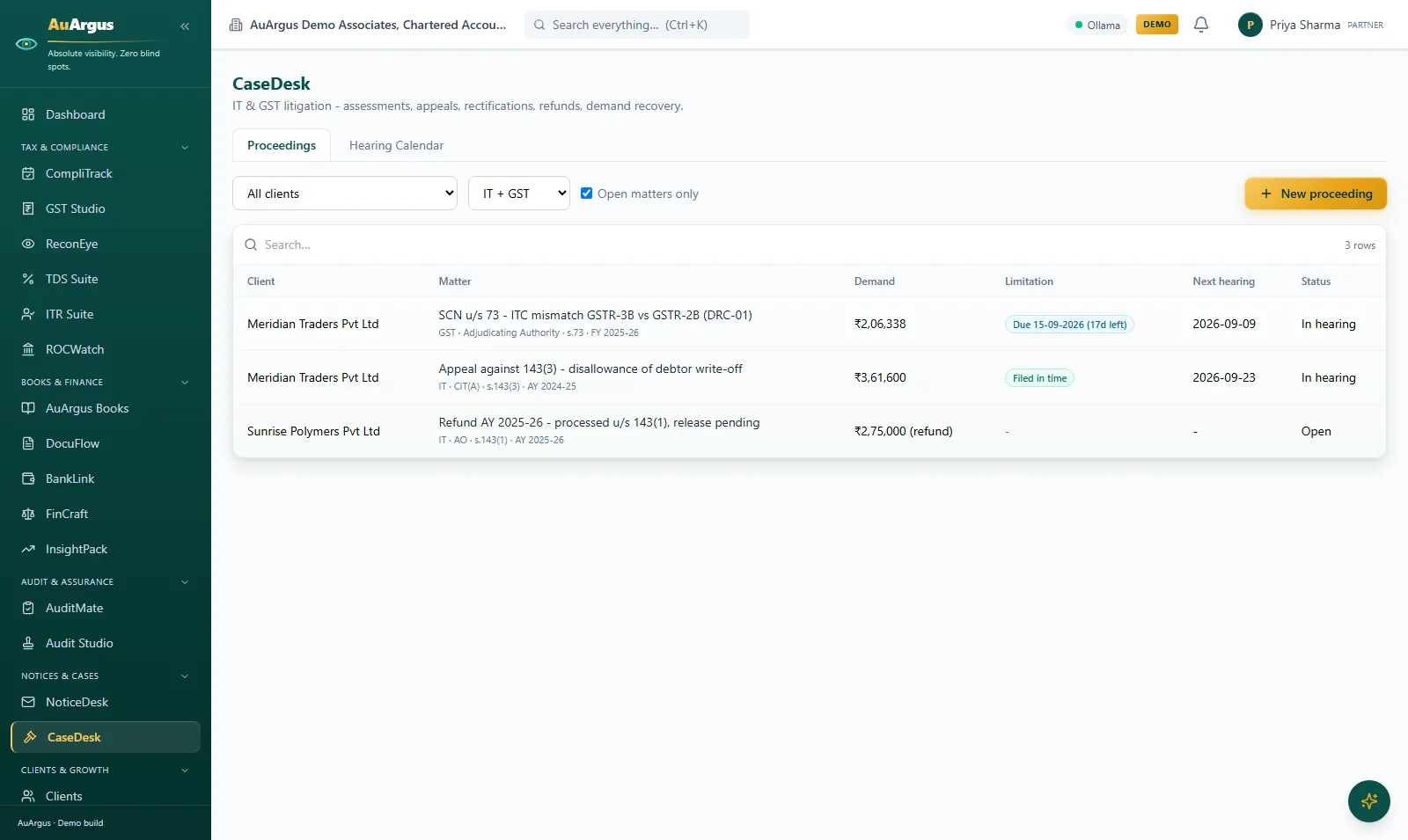
CaseDesk proceedings with demands, limitation chips and next hearing dates

CaseDesk - litigation

Income-tax and GST litigation end to end: every matter with its demand, a live limitation chip counting down the response window, and the next hearing date - with the hearing calendar and an append-only case timeline behind it.

  • Limitation periods alarm in advance - the deadliest dates in practice, watched
  • A 'filed in time' chip is proof, not memory
  • Hearings land in the diary automatically

Clients & growth

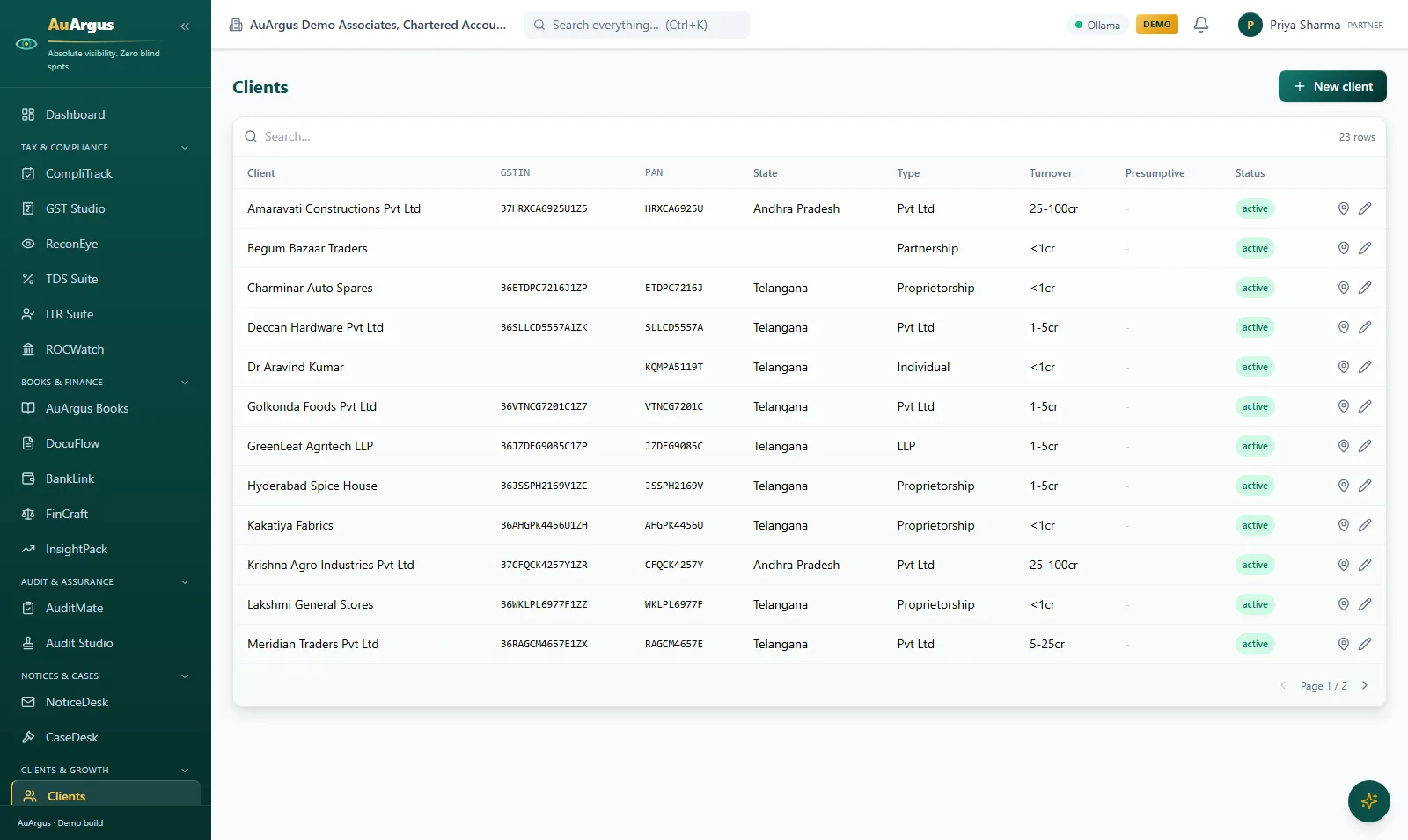
AuArgus client master with GSTIN, PAN, state, type and turnover per client

Client master

The client master behind everything: every entity with its GSTIN, PAN, state, constitution and turnover - multi-GSTIN registrations, presumptive flags and portal contacts included.

  • One client record, every module - no duplicate client lists drifting apart
  • Multi-GSTIN clients are first-class, not a workaround
  • Portal access is managed here, per contact
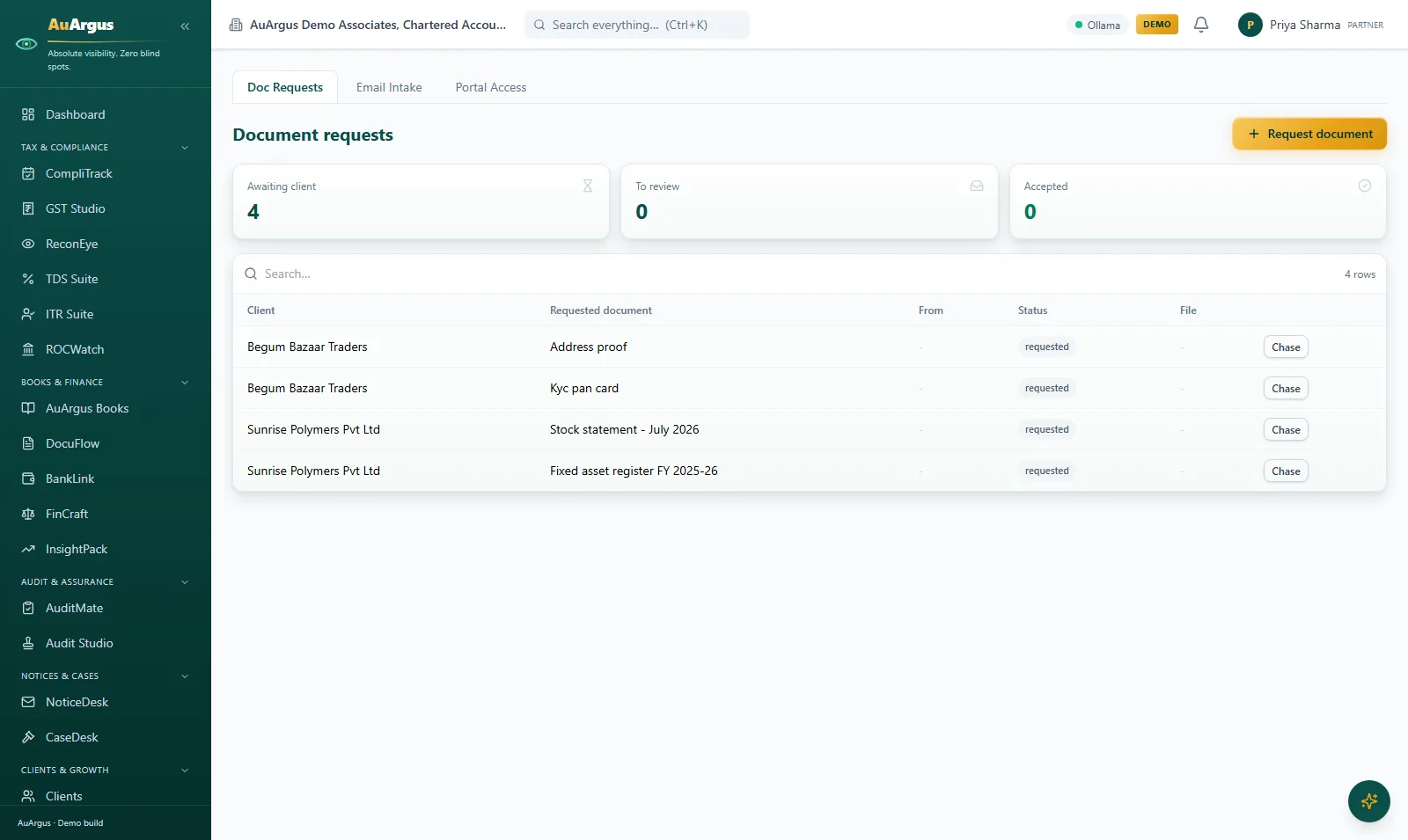
ClientHub document requests with awaiting-client counts and one-click chase

ClientHub - document collection

Checklist-driven document requests that chase themselves: what is awaiting the client, what needs review and what is accepted - each request with a one-click Chase - plus the email-intake workbench and portal user management.

  • Document collection runs itself - requests, reminders and receipts without WhatsApp archaeology
  • Work starts on complete files - the single biggest capacity win in most firms
  • Email attachments arrive classified into the review queue, not a shared inbox
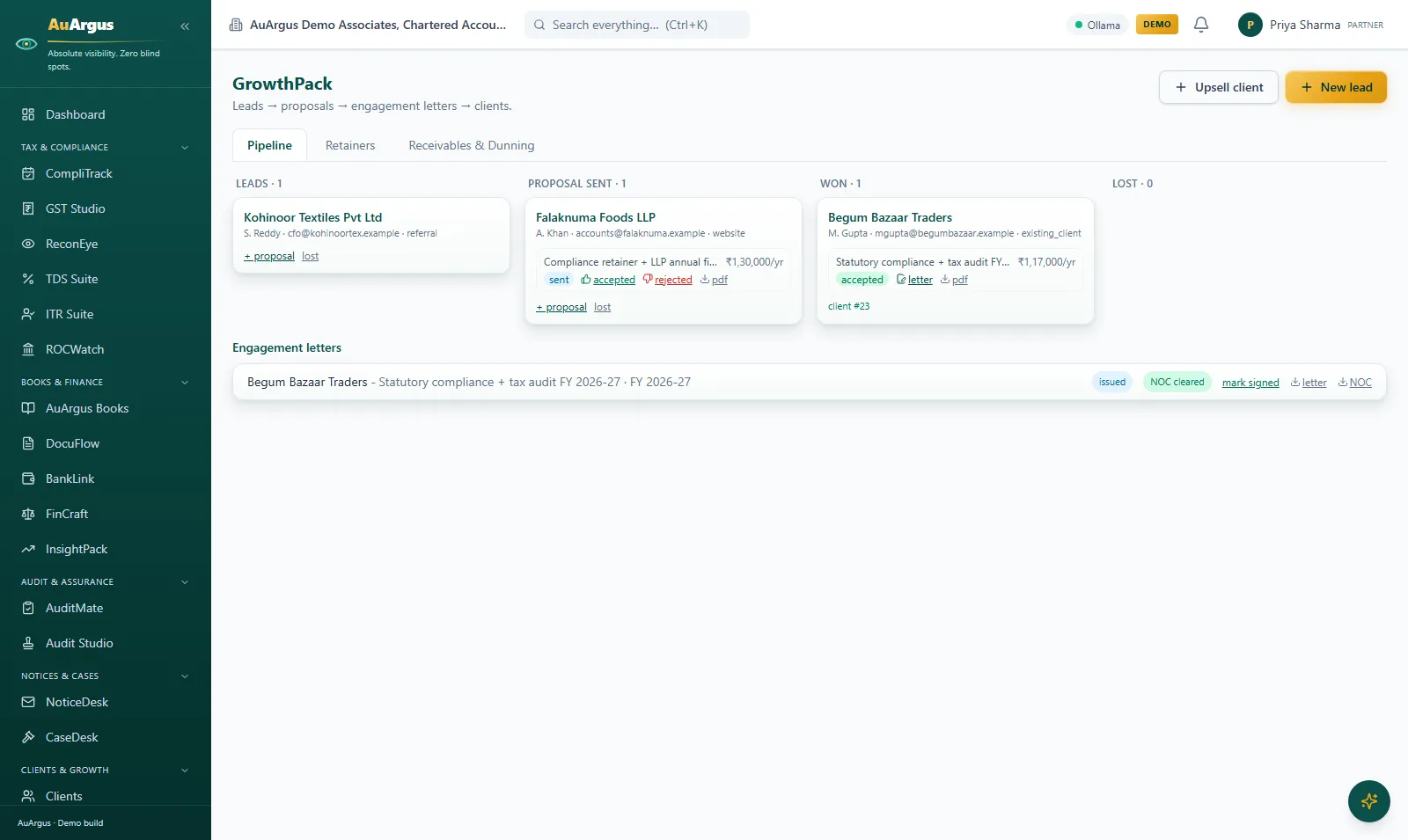
GrowthPack pipeline with leads, proposals sent, won engagements and engagement letters

GrowthPack - pipeline to collections

Leads to proposals to engagement letters to clients: the pipeline board with values per stage, one-click proposal PDFs, and a won deal minting the engagement letter - plus retainers and receivables dunning behind it.

  • The firm's own commercials get the discipline it gives clients
  • A won proposal becomes a client with an engagement letter - one flow, no re-typing
  • Receivables chase themselves - politely, consistently, on letterhead
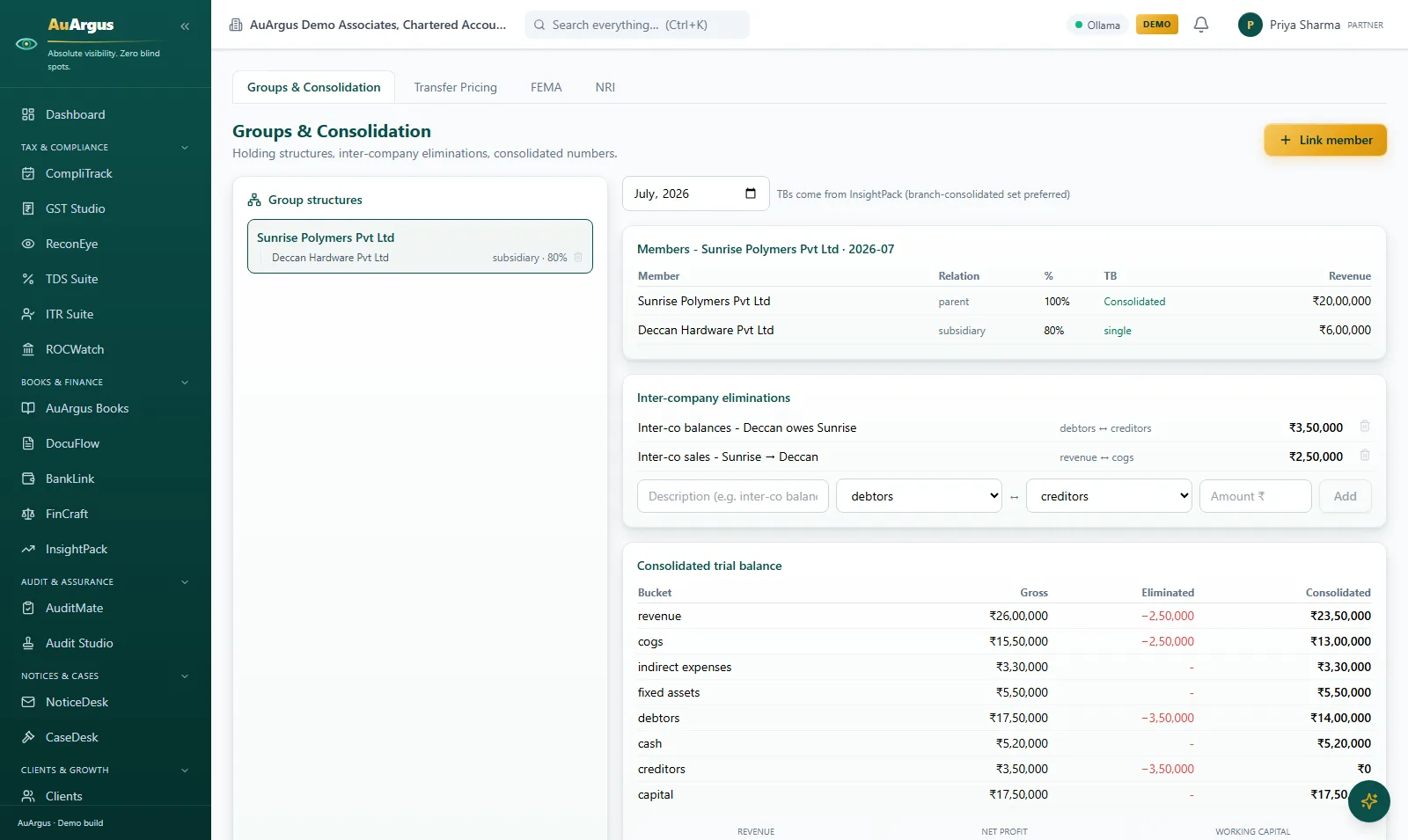
Groups and consolidation with an 80% subsidiary, inter-company eliminations and a consolidated trial balance

Groups & International

Group structures with holdings, inter-company eliminations entered once and applied to the numbers, and a consolidated trial balance - gross, eliminated and consolidated side by side - plus transfer pricing, FEMA and NRI toolkits.

  • Group work stops being a special project - eliminations balance by construction
  • Parent and subsidiary TBs consolidate on screen, with the eliminations visible
  • TP and FEMA obligations tracked like every other deadline

Firm & people

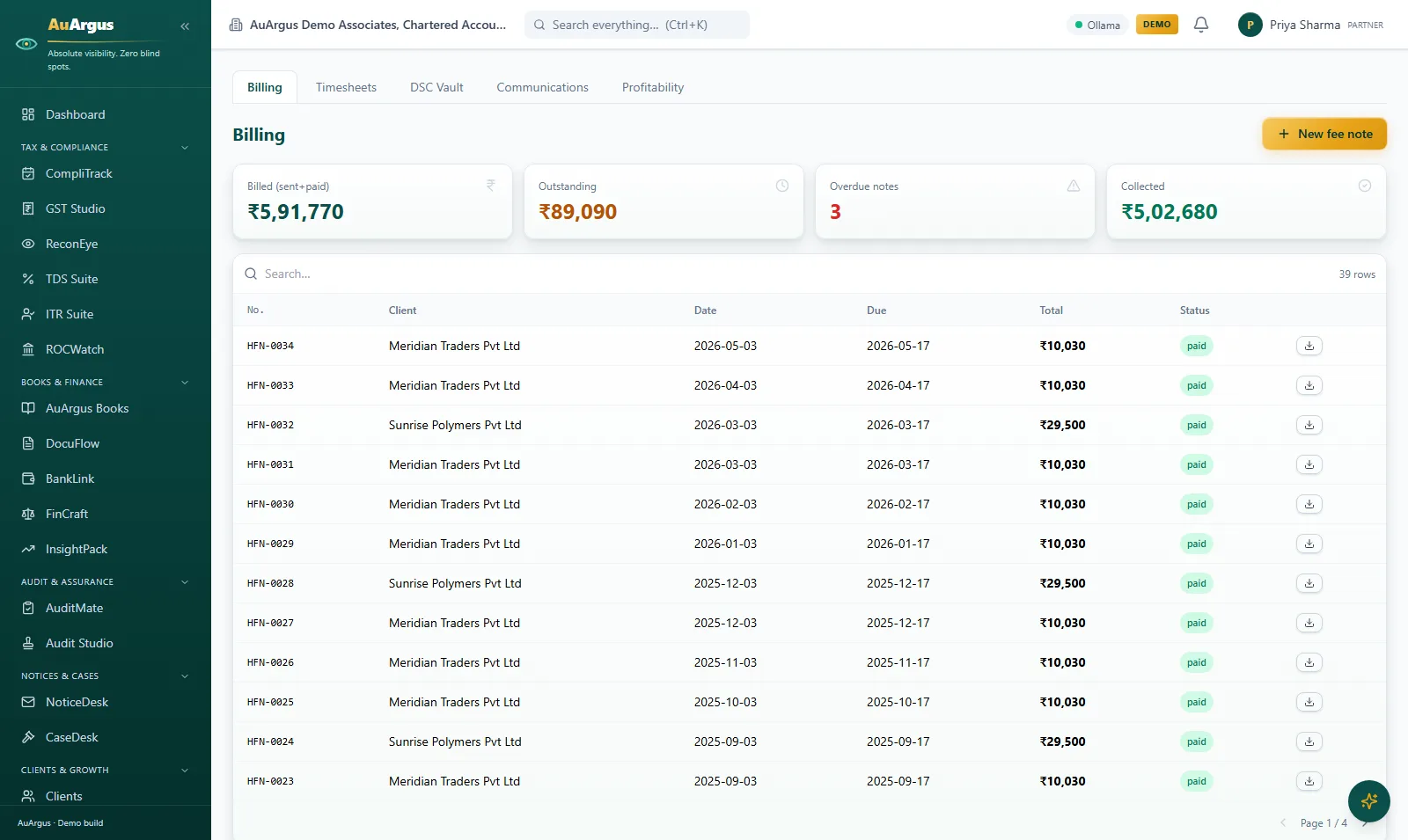
PracticeOS billing with billed, outstanding, overdue and collected totals over the fee-note register

PracticeOS - billing & operations

The firm's own commercials: billed, outstanding, overdue and collected as live tiles over the fee-note register - every note with its due date and paid status - plus timesheets, the DSC vault and client profitability.

  • Billing connects to the work it bills - WIP is visible before it is written off
  • Outstanding and overdue are tiles the partner sees daily, not a quarter-end surprise
  • Client profitability answers which work is worth growing
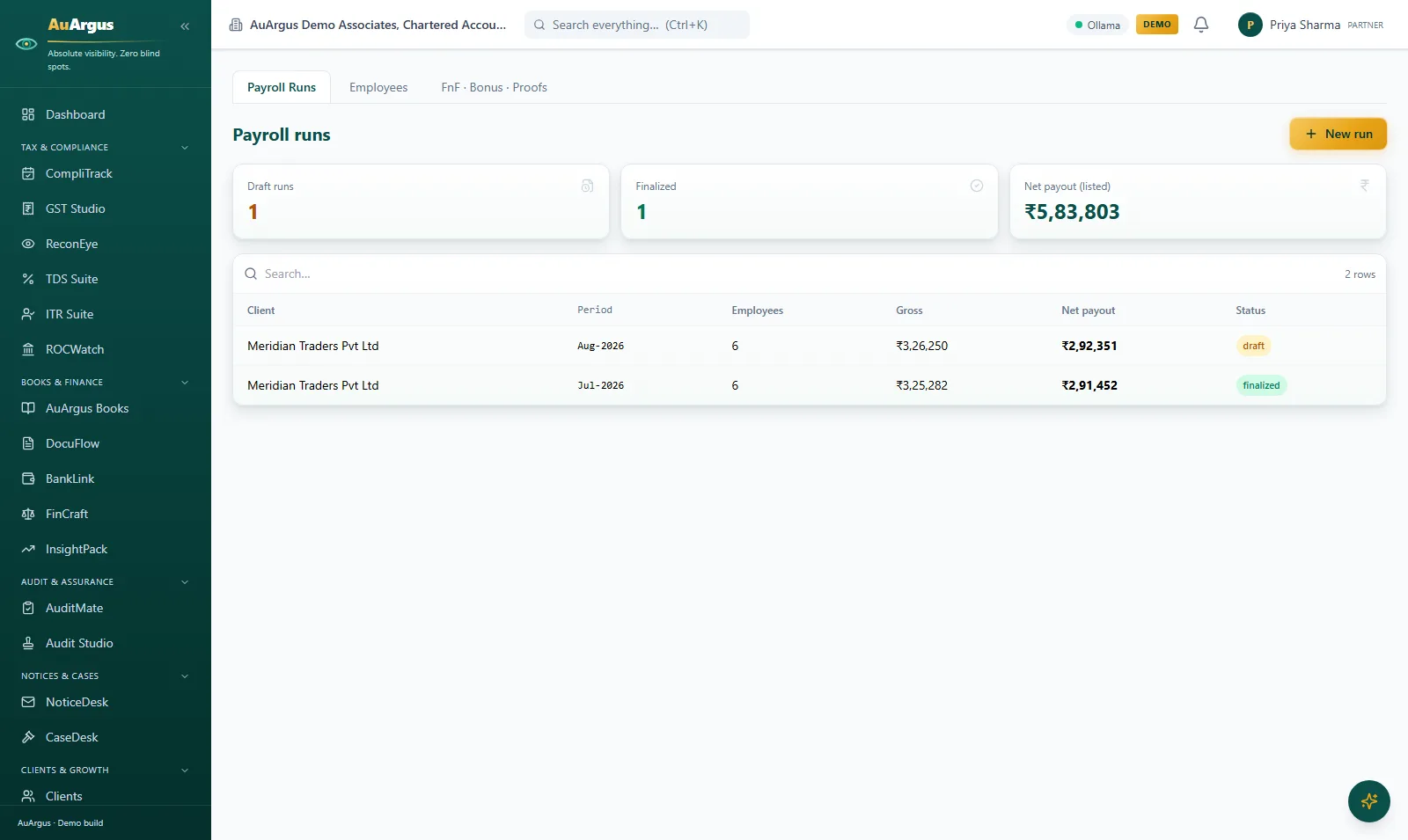
PayrollPro payroll runs with employees, gross and net payout per run, draft and finalized states

PayrollPro

Client payrolls with the full statutory engine - EPF, ESI, PT, new-regime TDS - each run carrying its employee count, gross and net payout through a draft-to-finalized flow, with payslips, registers and FnF settlements.

  • Payroll compliance is computed, not copied from last month
  • Draft runs are reviewed and finalized deliberately - no accidental payouts
  • Payslips and registers come out of one run - consistent by construction
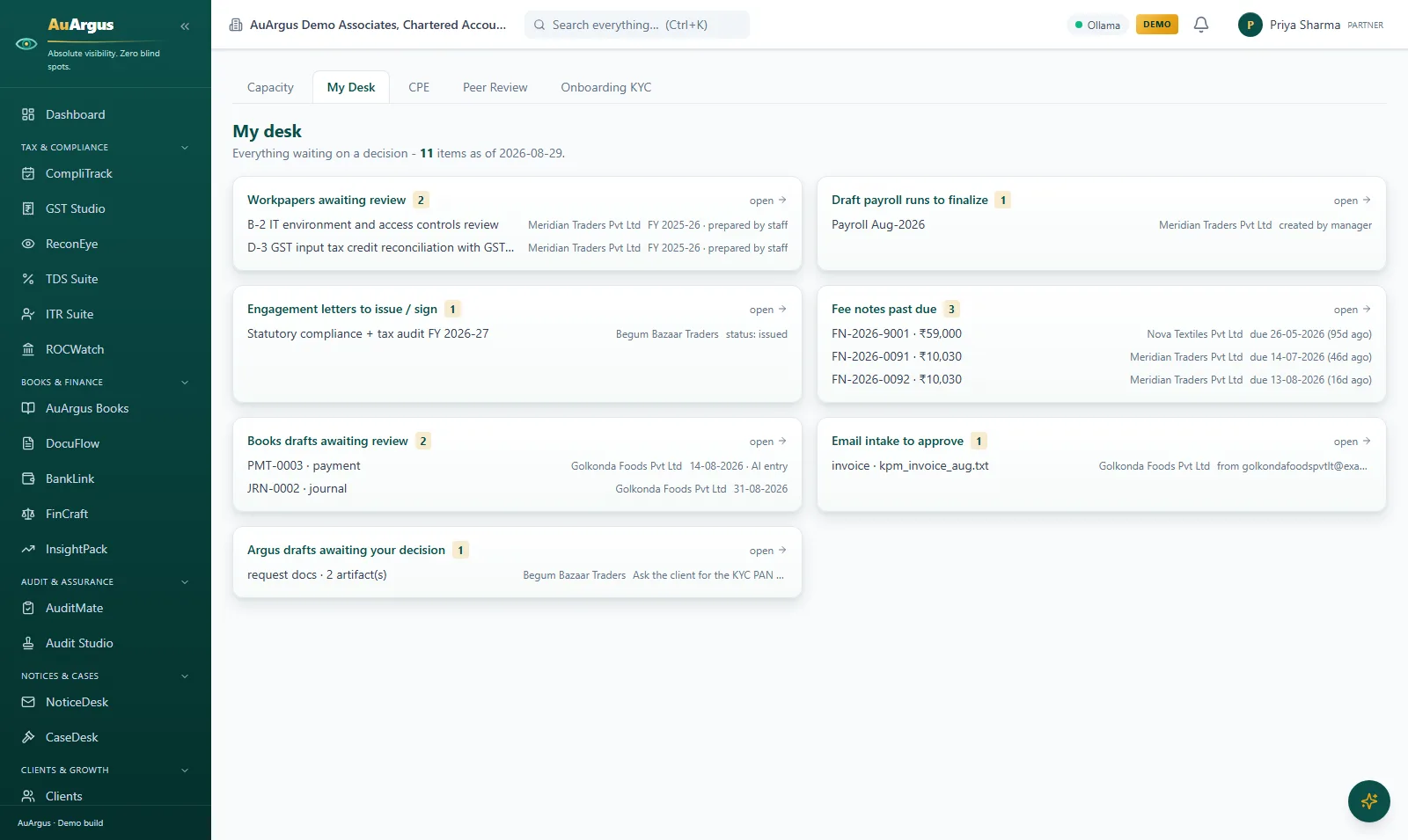
Firm Ops My Desk with queues for workpapers awaiting review, draft payrolls, engagement letters and overdue fee notes

Firm Ops - My Desk

Everything waiting on a decision, in one desk: workpapers awaiting review, draft payroll runs to finalize, engagement letters to issue and fee notes past due - each item linking straight to where the decision happens.

  • The partner's day starts from a queue, not from memory
  • Every queue item is one click from the screen that resolves it
  • Capacity, CPE and peer-review readiness live on the neighbouring tabs
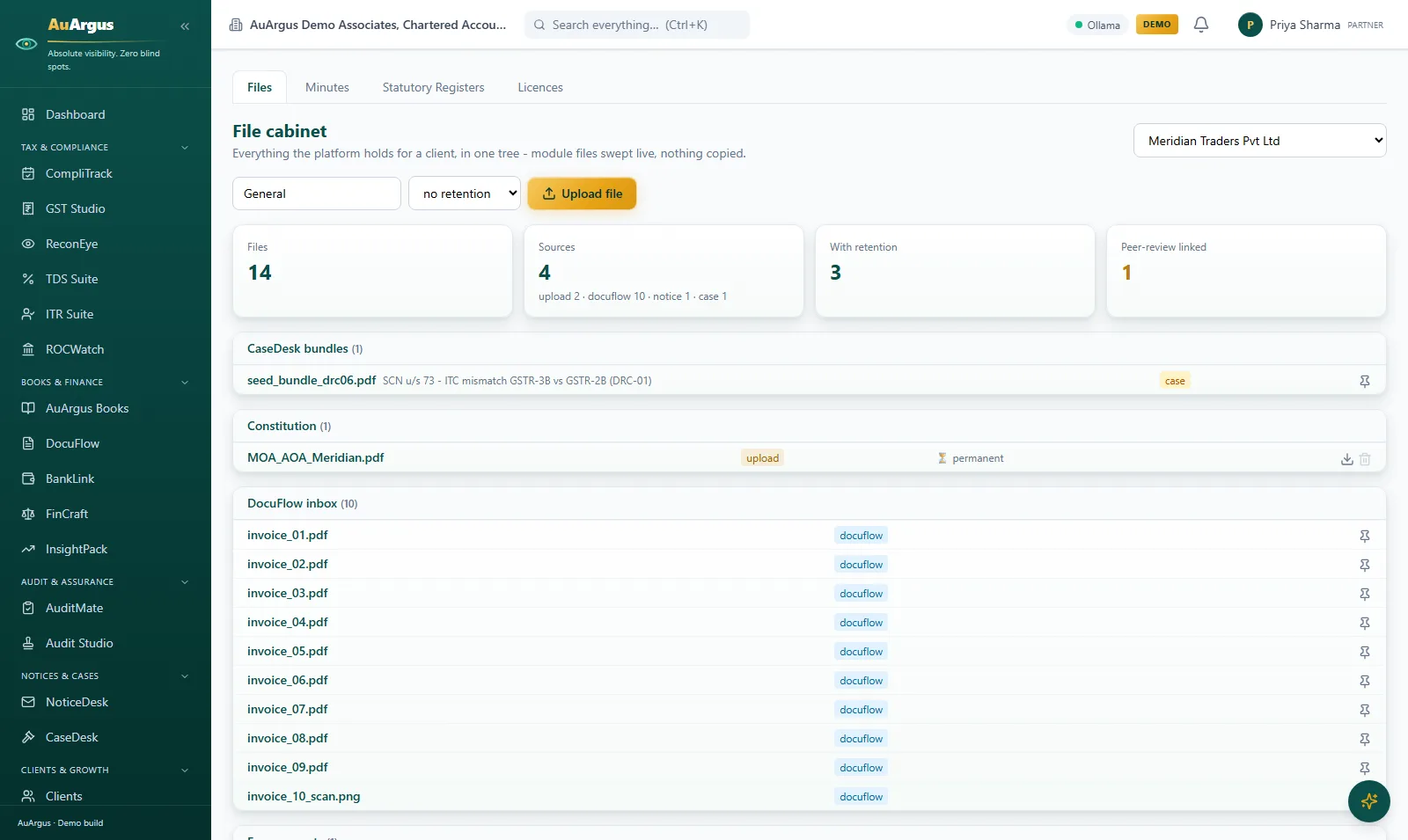
File Cabinet tree for one client sweeping DocuFlow, notices and case files live, with retention labels

File Cabinet

Everything the platform holds for a client in one tree - DocuFlow invoices, notice papers, case bundles and uploads swept live from their modules, nothing copied - with retention labels, sources counted and peer-review linkage.

  • Every client document findable in one tree, whatever module produced it
  • Files are swept live from their source modules - one truth, zero copies
  • Retention labels and a ZIP export make the client file audit-ready
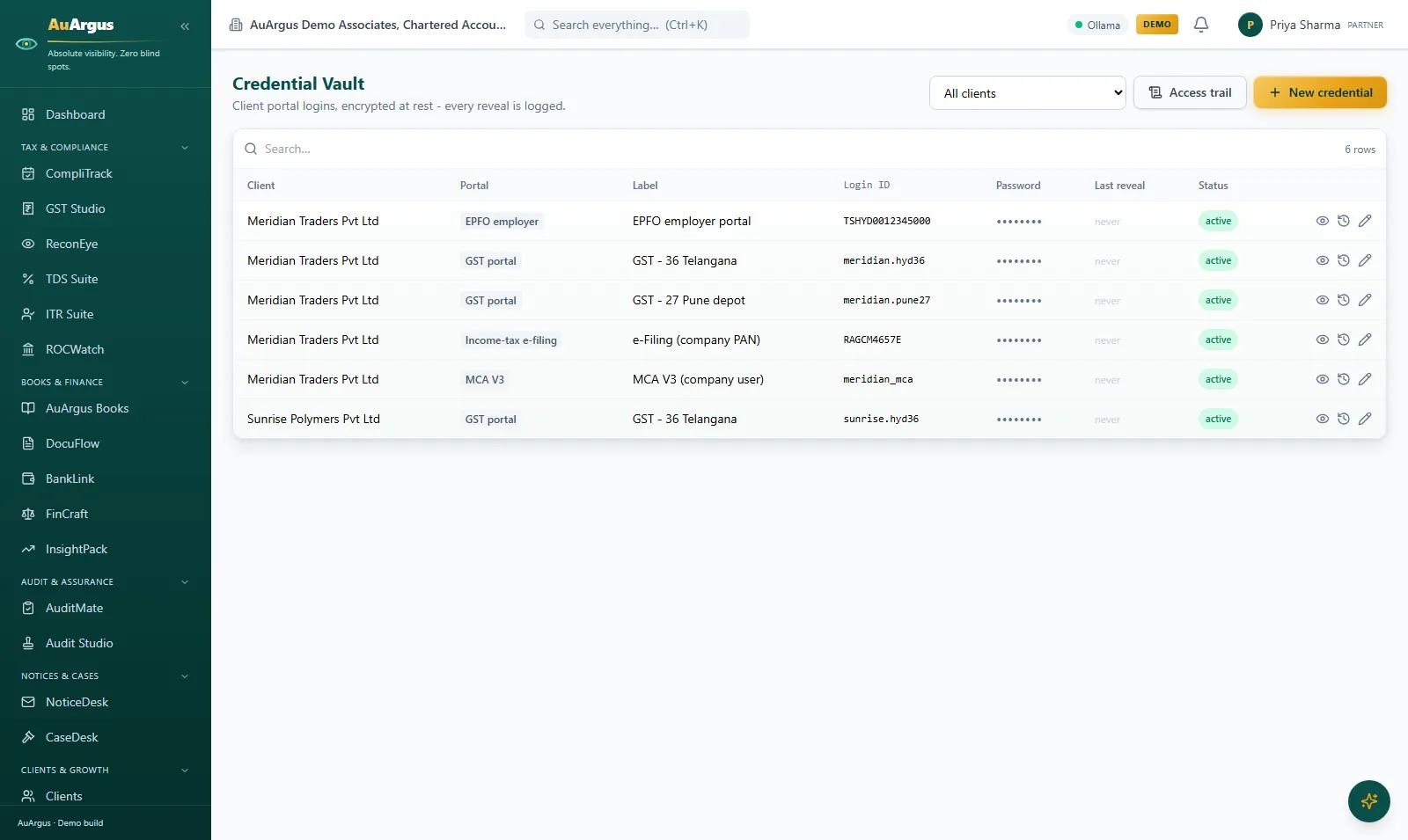
Credential Vault with client portal logins masked, per-portal labels and reveal logging

Credential Vault

Client portal credentials in an encrypted vault: GST, e-filing, MCA and EPFO logins per client, passwords masked by default, every reveal manager-gated and logged in a permanent access trail.

  • Passwords leave the diary and the WhatsApp group
  • Who saw which credential, when - answered by the log
  • Reveals are deliberate, gated actions, not ambient knowledge

The client's side

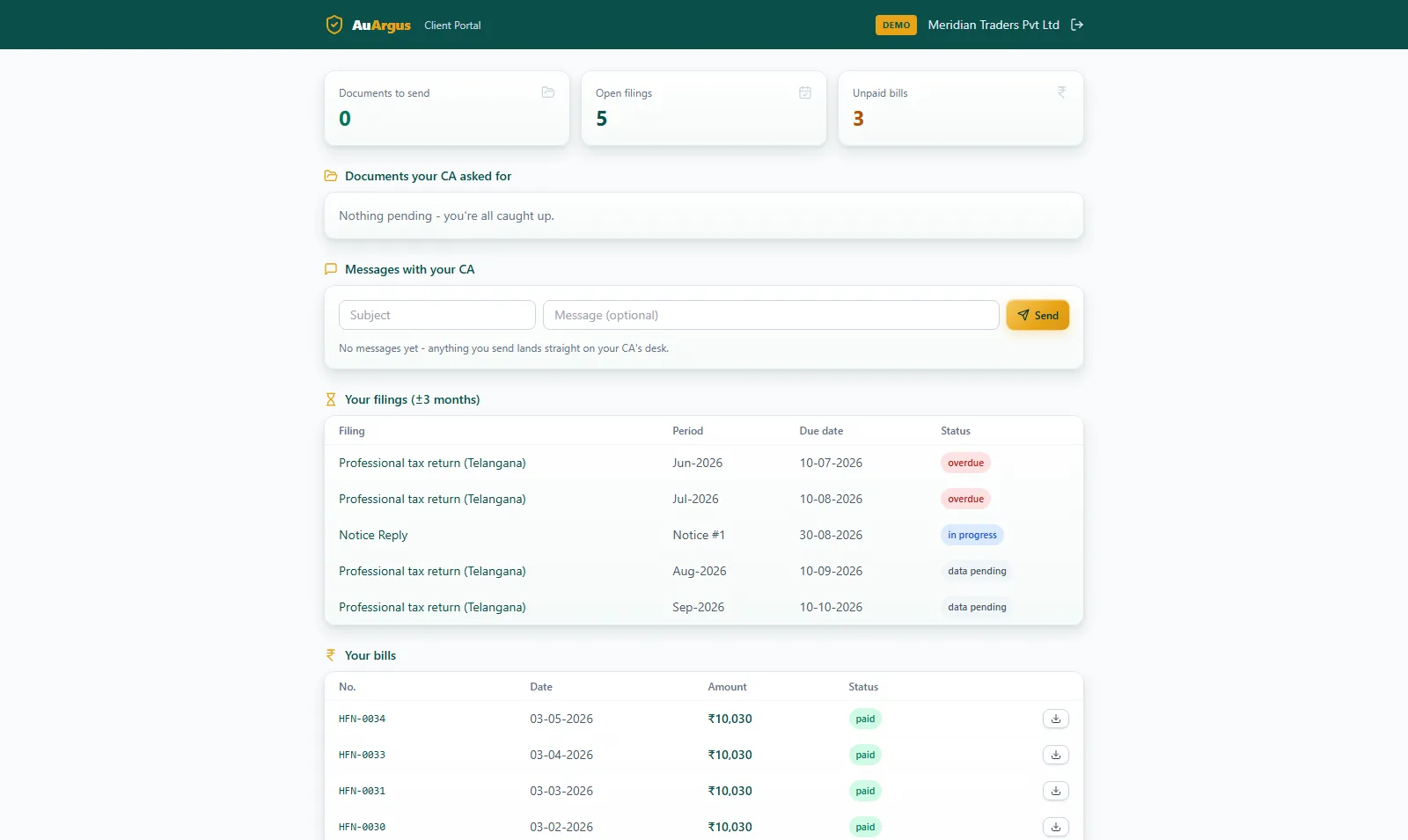
AuArgus client portal home with filings, document requests, bills and messages

The client portal

What the firm's client sees: their filings, document requests with upload, bills, a document room and a message thread - hard-isolated from every firm surface.

  • Clients get one secure channel instead of email, WhatsApp and calls
  • Isolation is verified by a permanent cross-tenant audit test, not assumed
  • Uploads land classified in the firm's queue - both sides save time

Want to see these screens with your own data on them?

Talk to our team and we will walk you through the platform against your own use cases.